Documents Library
Use the Documents library to store certificates, reports, and evidence once; then reuse them across multiple models and batches. When you update a document in the library, the change is reflected in every model and DPP that uses that file.
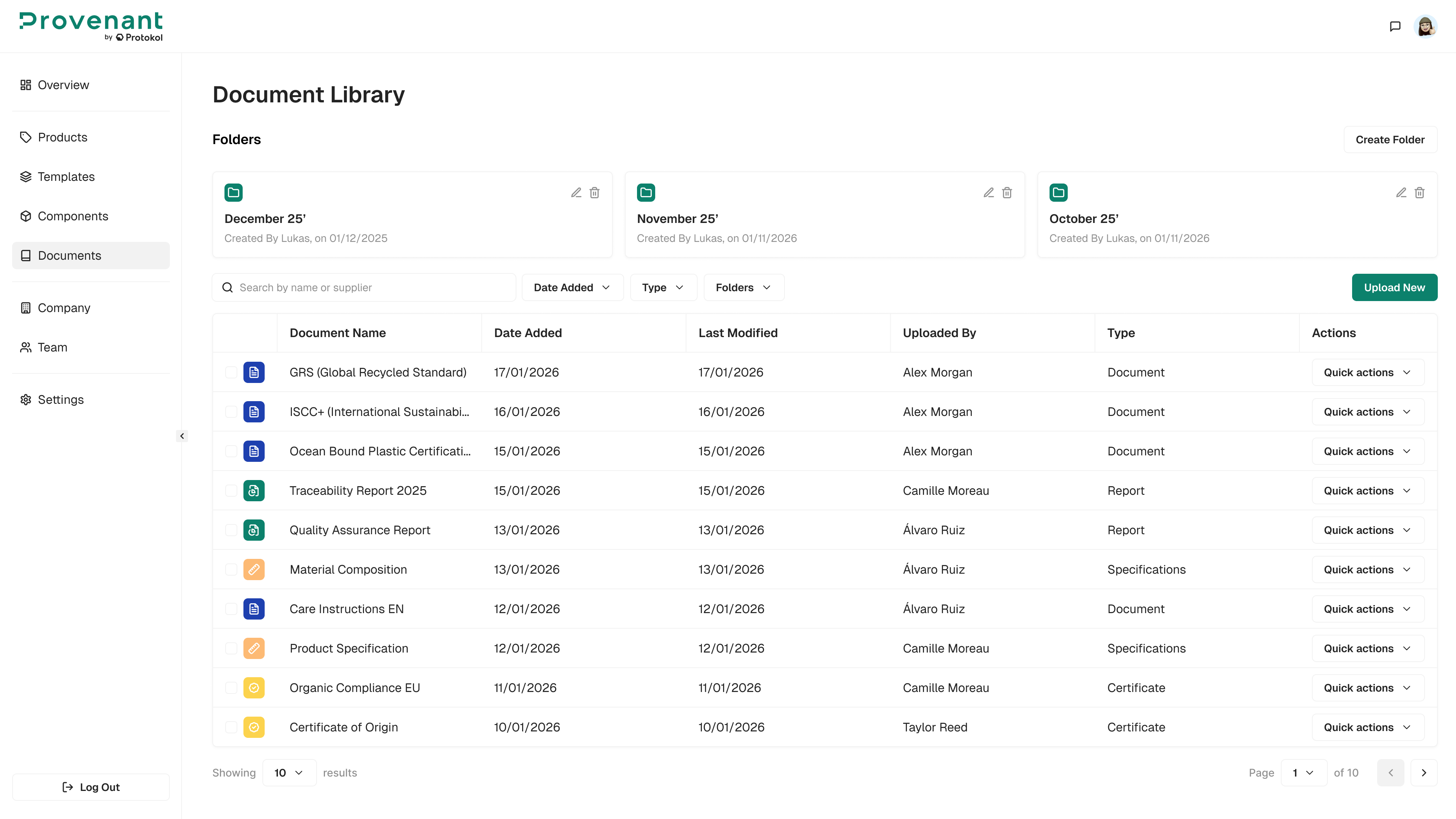
| Task | Description |
|---|---|
| Create folders | Organize LCAs, EPDs, certificates, and other evidence. |
| Upload documents | Add new PDFs or files with name, type, category, and description. |
| Attach in models and batches | From a model or batch form, use Select Documents to pick existing files from the Documents library. The documents are managed centrally in the library and referenced in each model or batch where they are attached. |