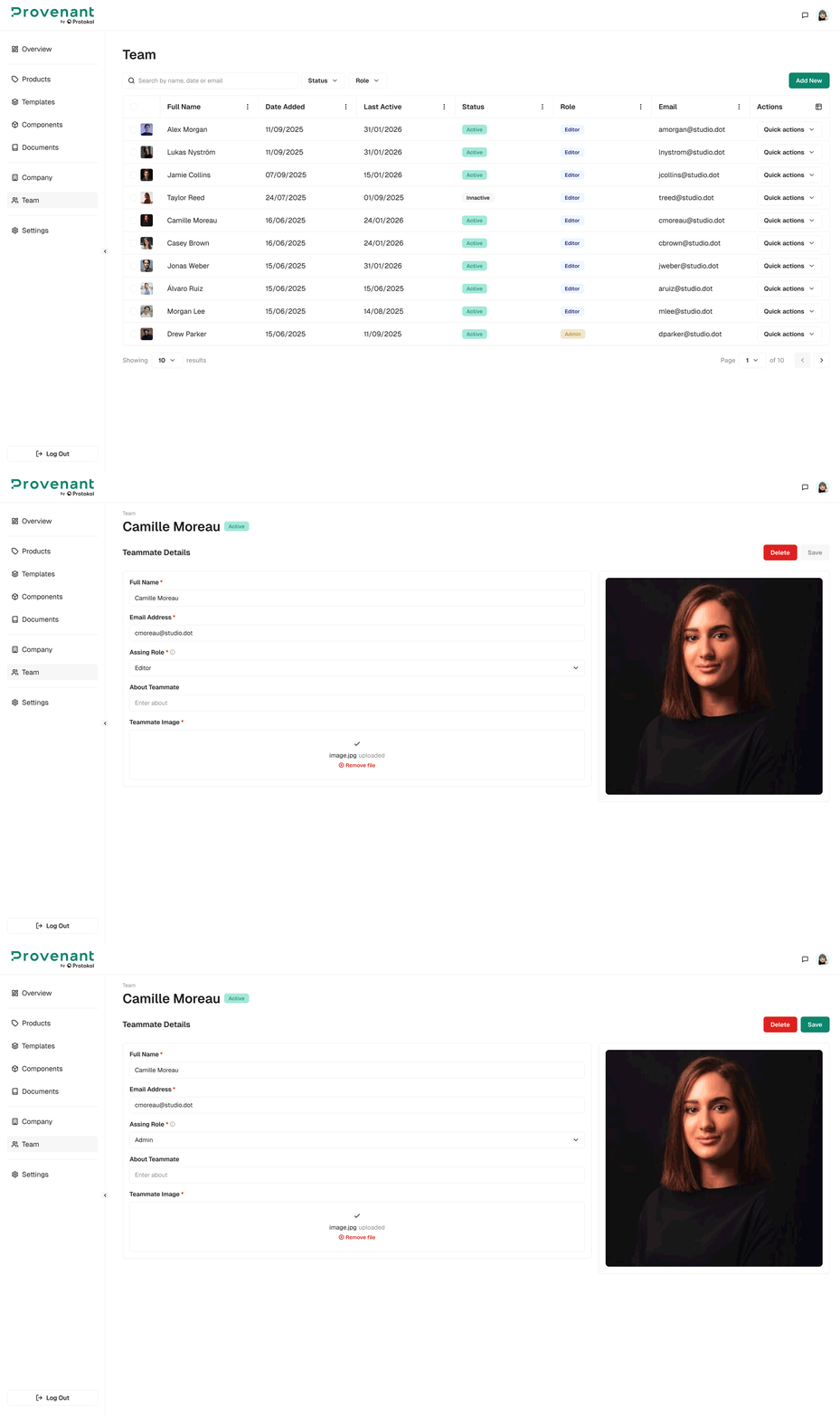
Manage Users
This section allows you to manage users of your organisation.
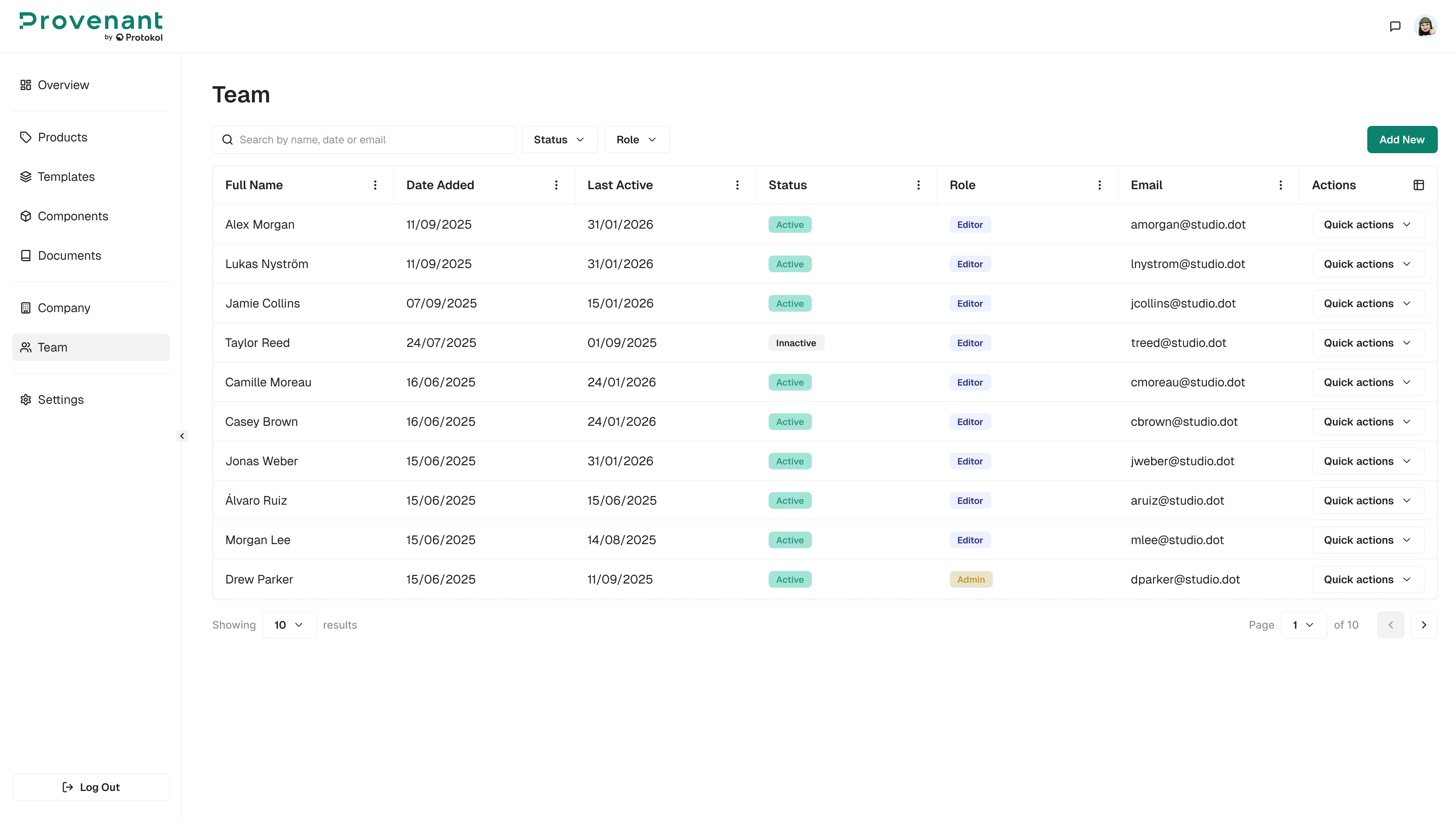
Steps
- Open
Team. - Locate the user you want to update. You can search by name, date, or email, and filter by
RoleandStatus(Active, Inactive, or Invited). - Open the user and change their role in
Assign Roleas responsibilities evolve. SelectSave. - Check the
Statusto confirm who has completed sign-in. - To remove access, select
Cancel Invite(for invited users) orDelete.