Add a Document
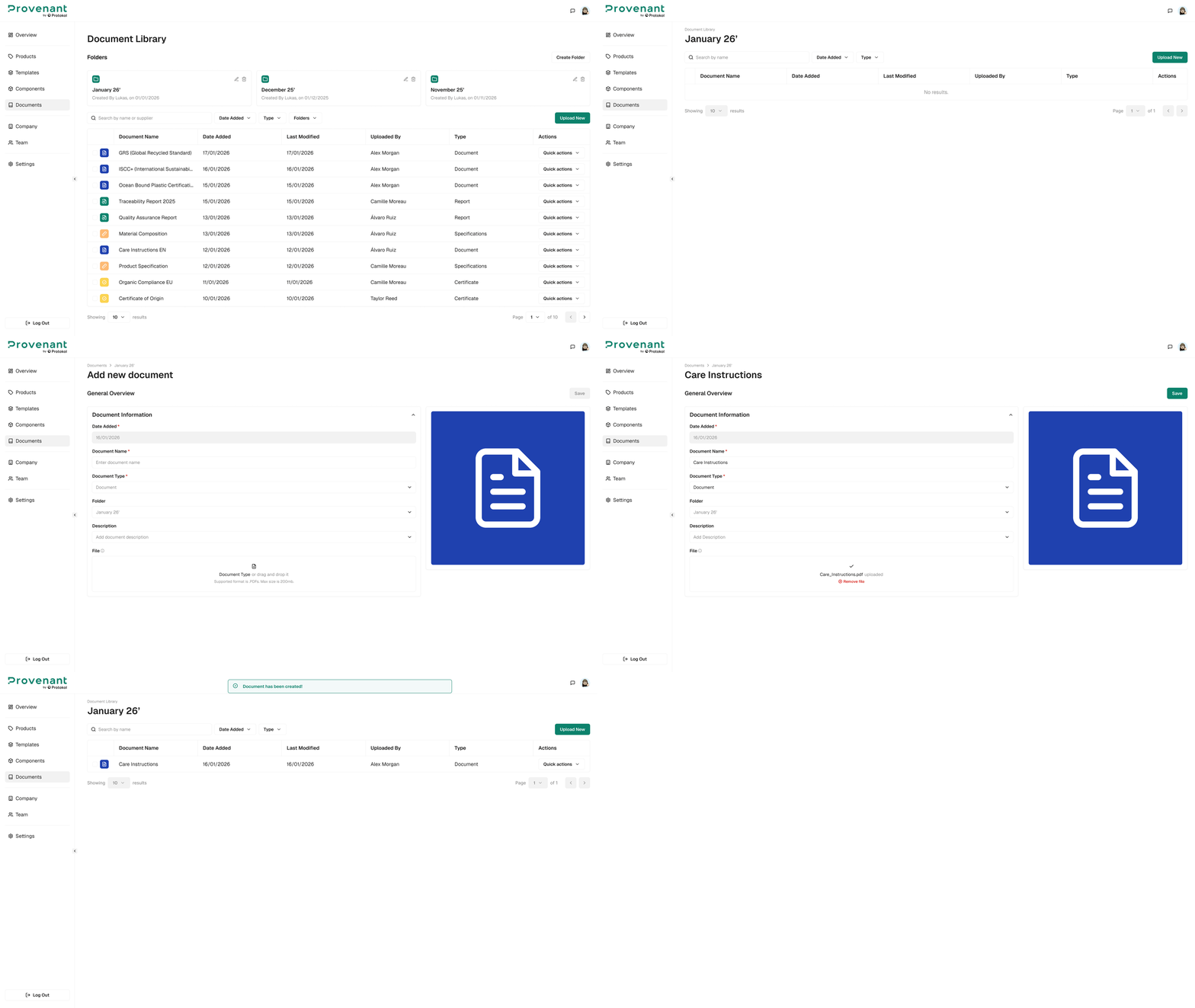
Documents are your important files that can be uploaded once and reused across multiple products.
Steps
- Open
Documentsfrom the left navigation. - In the
Document Librarytable, selectAdd New. - Enter the
Document Name(for example, EPD-IES-0018421_001 en — 2025). - Choose the
Document Type(Certificate, Contract, Document, Report, or Specifications). - Optionally, select a
Folderand enter aDescription. - Upload the file in
File Upload. - Select
Saveto finish.
tip
Keep names short and specific, including ID + year where possible (e.g., EPD-IES-0018421_001 en — 2025).