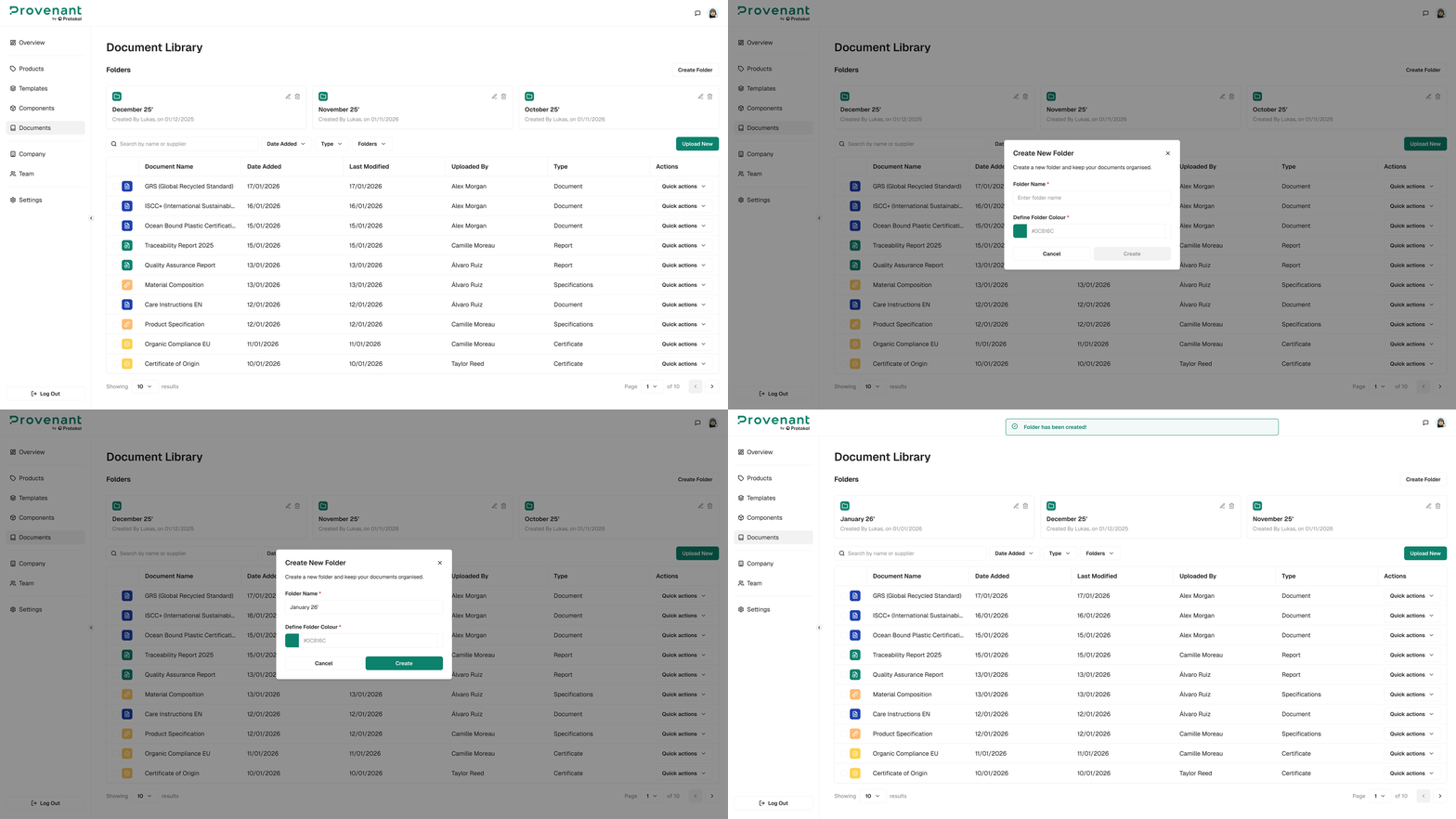
Create Folder
Folders help organise your documents and make them easier to find. By colour coding them, you can quickly spot what you need.
Steps
- Open
Documentsfrom the left navigation. - Select
Create Folder. - Enter a
Folder Name(for example, LCAs – Textiles or EPDs – Workwear). - Optionally, choose a colour in
Define Folder Colour. - Select
Createto save the folder.
tip
We recommend you group your files by type (certificates, reports) or by month to keep everything neat and organised.