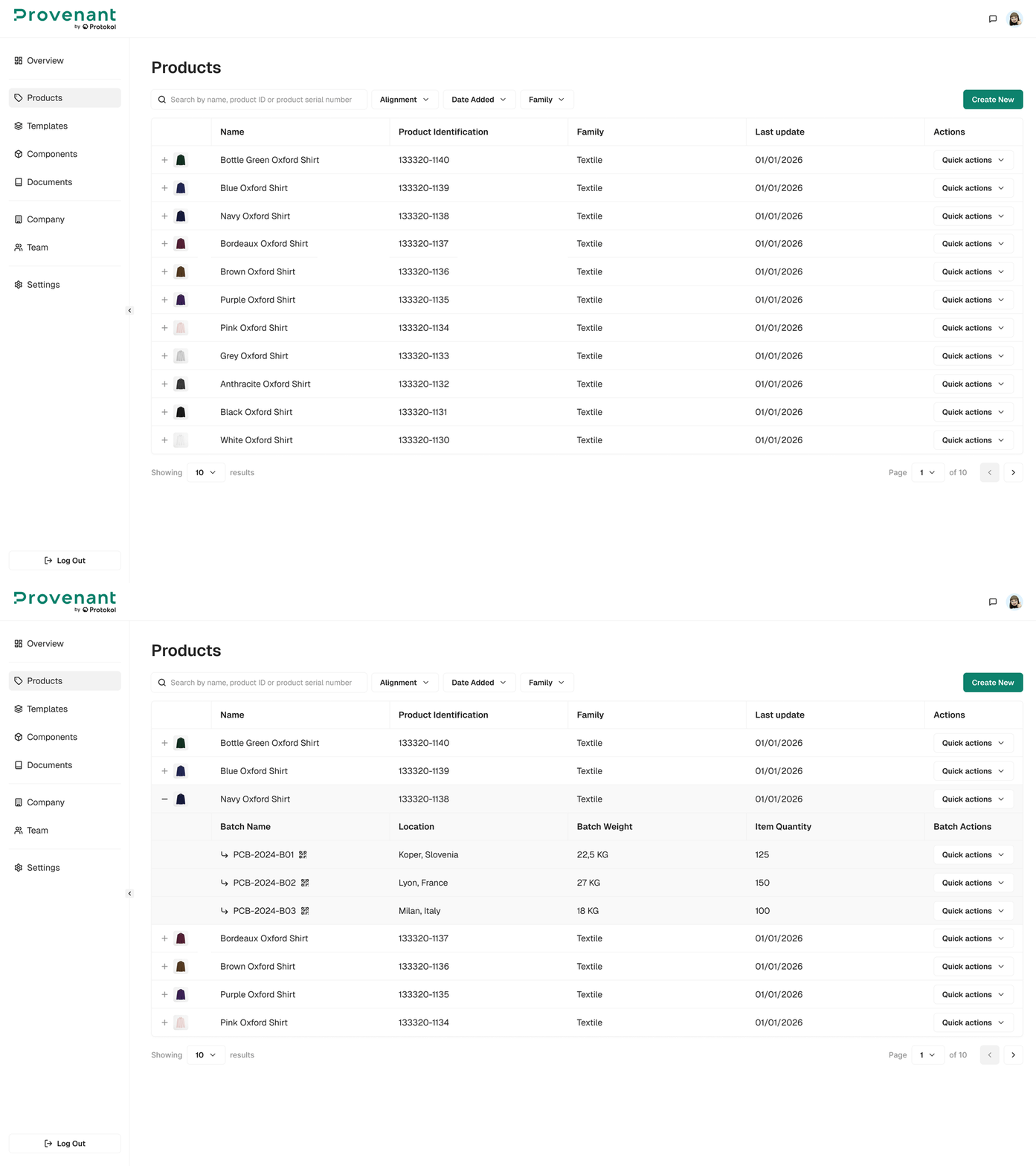
Products
The Products page lets you manage all your product models in one searchable, filterable grid.
Use this view to browse models, check their publication status, and drill down into batches or detailed information.
Key features
- Search models by name, product ID, or product serial number.
- Filter models by
Date Added,Family,Source(Manual or Imported),Synced(Out of Sync or Synced), andStatus(Published or Unpublished). If the alignment tool is enabled for your organisation, you can also filter byAlignment. - The
Statuscolumn shows if the DPP of each model and batch isPublishedorUnpublished. When you filter byStatus, the expanded batches use the same filter. - Expand inline using the + icon to preview associated batches.
Quick Actionslet you add a batch, edit, clone, republish, or delete a product directly from the grid.- Create new models with
Create New, or import many models at once withImport Models.
Select a product's name to open its Model Overview page for publishing, QR display, or editing.