Feedback
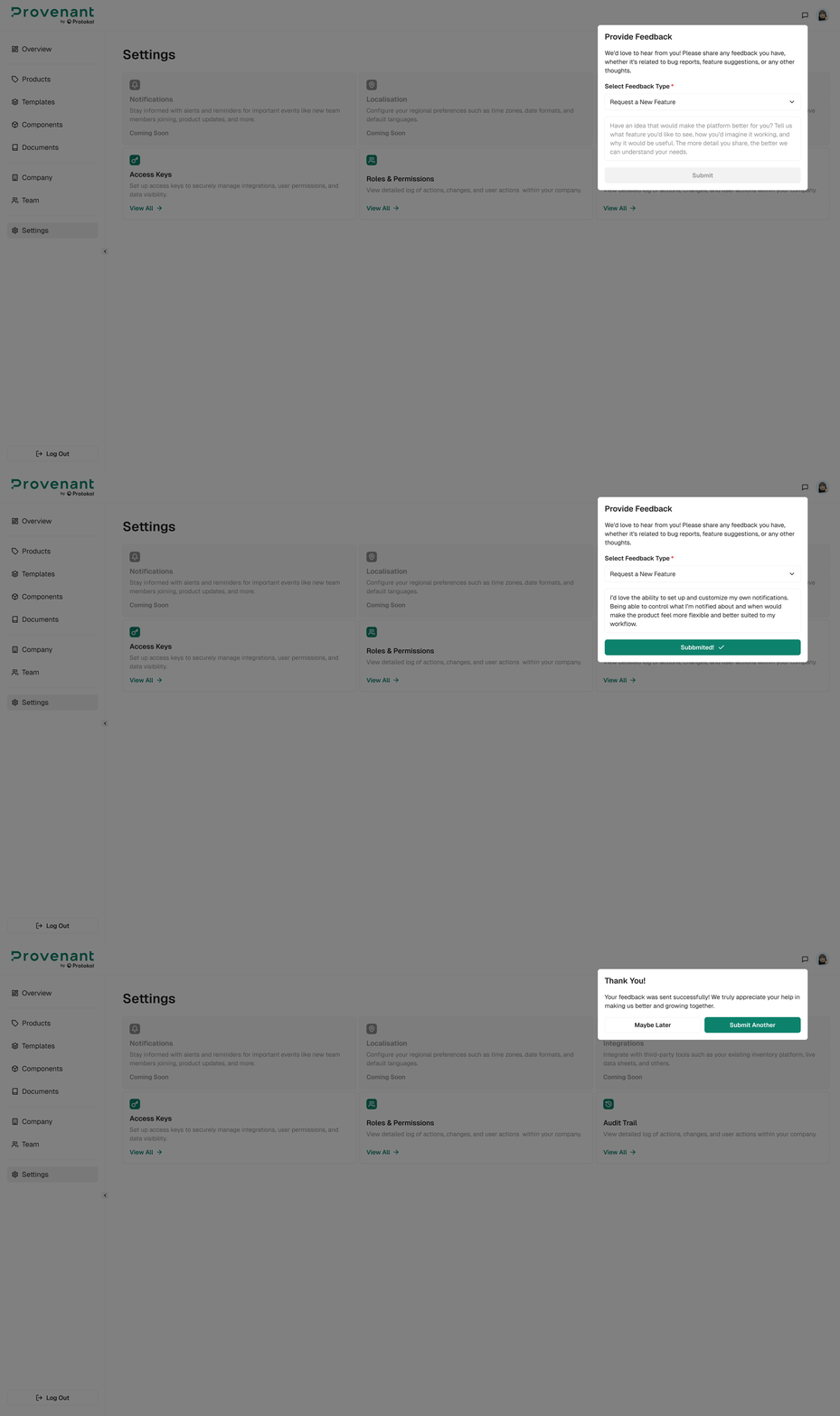
Use Feedback to send suggestions or report issues to the product team. Open it from the feedback button in the top-right header. Select a feedback type (Report a Bug, Performance Issues, Request a New Feature, Provide Usability Feedback, Content Suggestions, or General Feedback), add a Description, and attach files if needed (up to 100 MB in total).
When to use Feedback
- A feature doesn’t work as expected.
- You have a suggestion to improve a workflow.
- You’ve spotted a
bugor dataissue.
What to include
Include these details to speed up investigation:
- Model or batch name.
- What you expected.
- What actually happened.
Screenshotsor recordings, if possible.
Issue report template
Copy and paste this into Feedback for faster support:
Title:

Impact: (blocker/major/minor)

Steps to reproduce:

Expected:

Actual:

Model/Batch:

Screenshots/GIF:

Timestamp/timezone: