Attach Document to a Model
Once a document has been uploaded, it can be attached to any model for easy reuse.
Steps
- Open the
modelform (either Create Model or Edit model). - Go to the
Documentssection. - Select Documents.
- Search or browse for the document(s) you need and select them.
- Click Save to link them to the model.
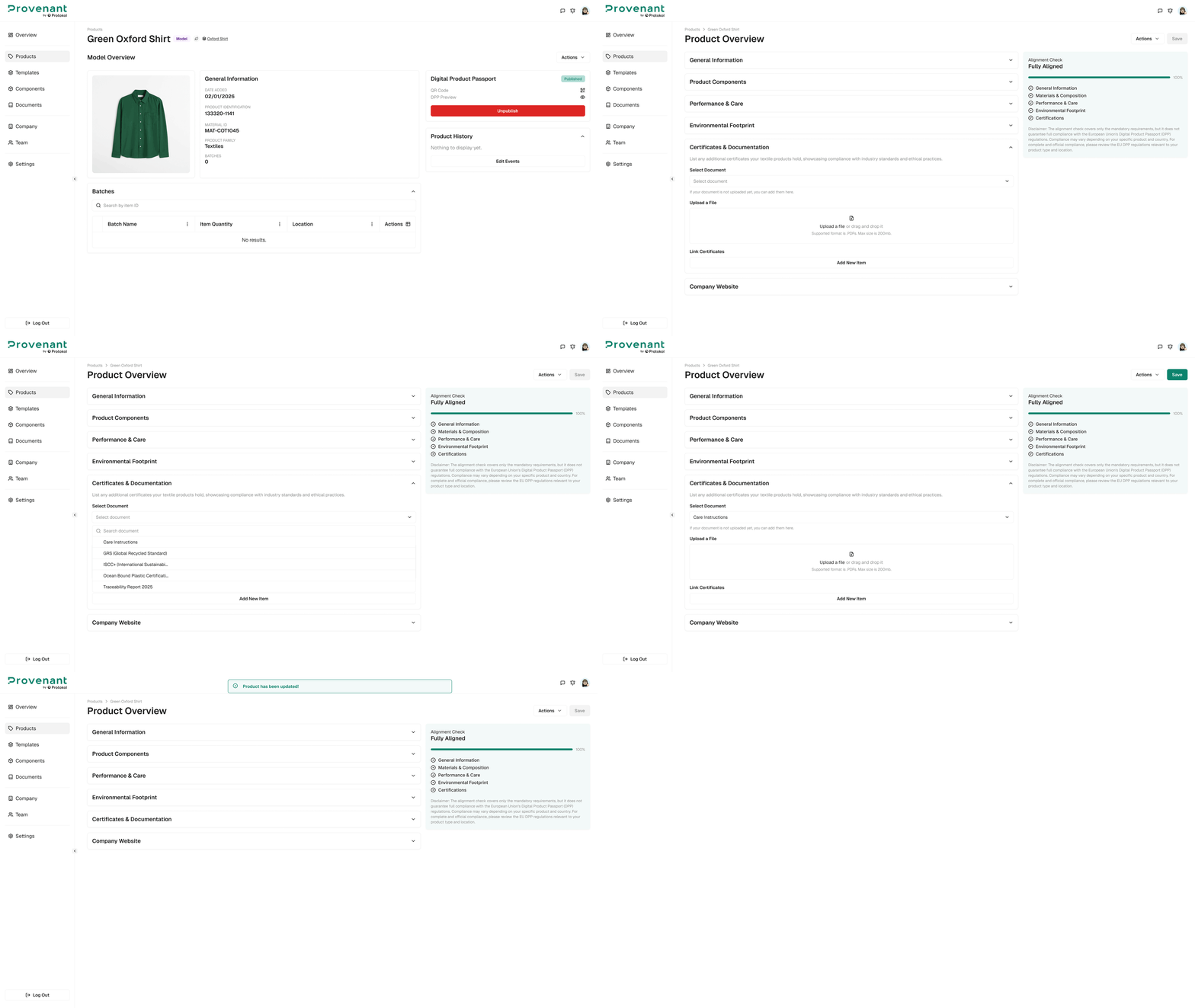
Linked documents will appear in the DPP so end users can access the evidence directly.