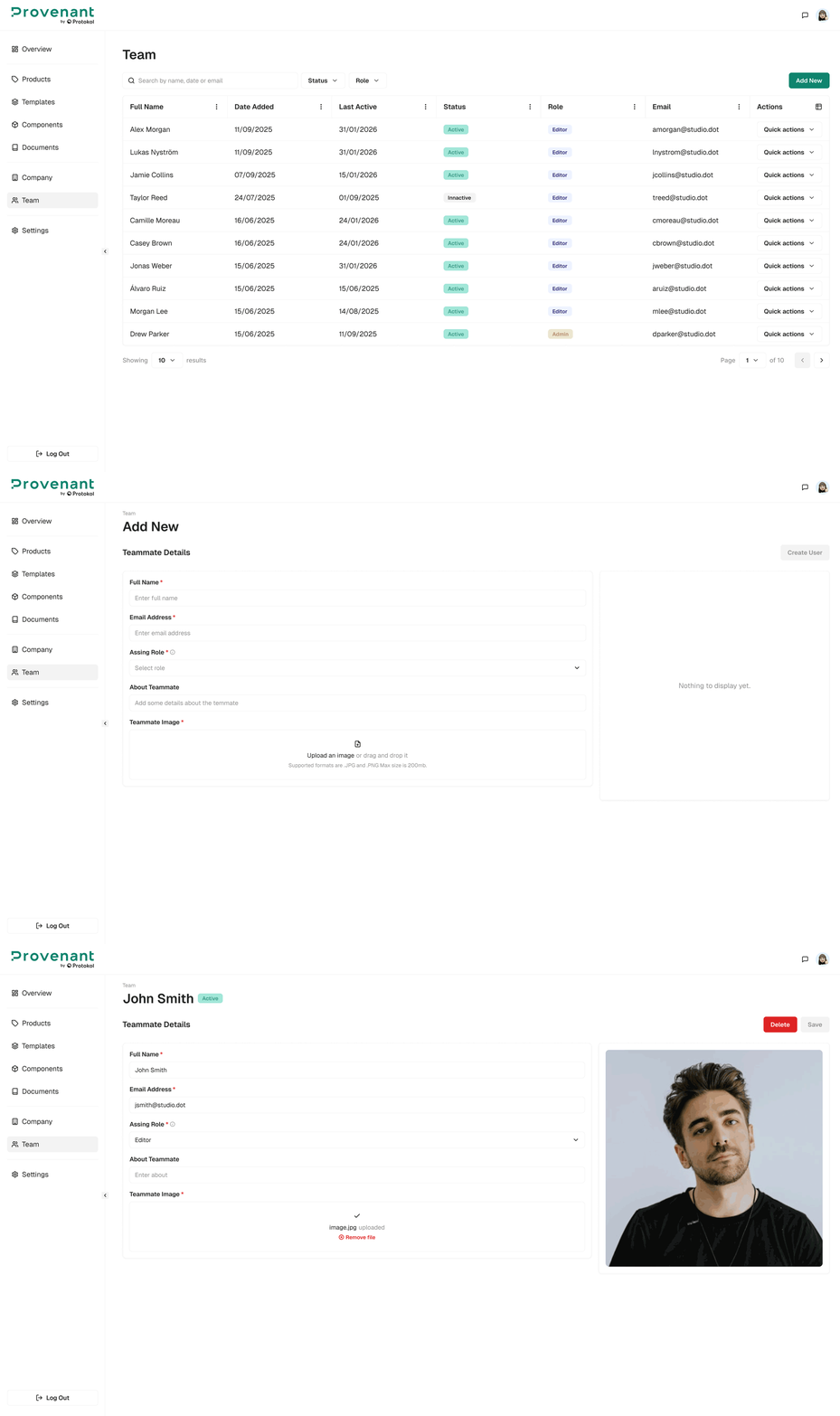
Add a User
This section allows you to add a new user to your organisation.
Steps
- Open
Teamfrom the left navigation. - Select
Add New. - Enter the member’s
Full NameandEmail Address. Optionally, add anImageand anAbouttext. - In
Assign Role, choose a role that matches their responsibilities (for example: Editor, Viewer, Admin). - Select
Create Memberto send the invite.