Suppliers
Overview
Use Suppliers to create and manage supplier profiles with filtering, status handling, and detailed supplier information. Suppliers are linked directly to Components to support traceability and reuse.
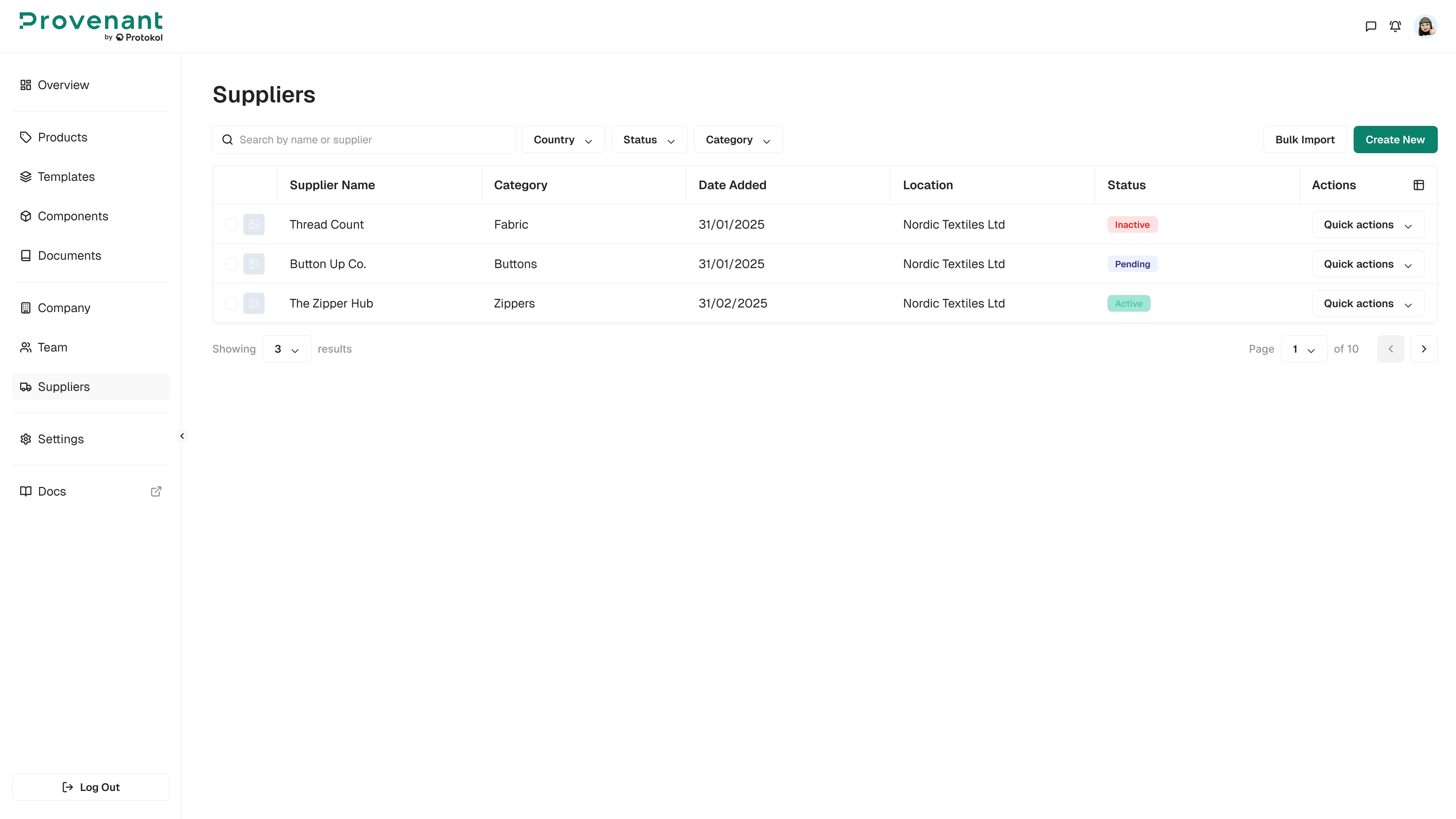
Where to find it
Go to Suppliers in the left navigation.
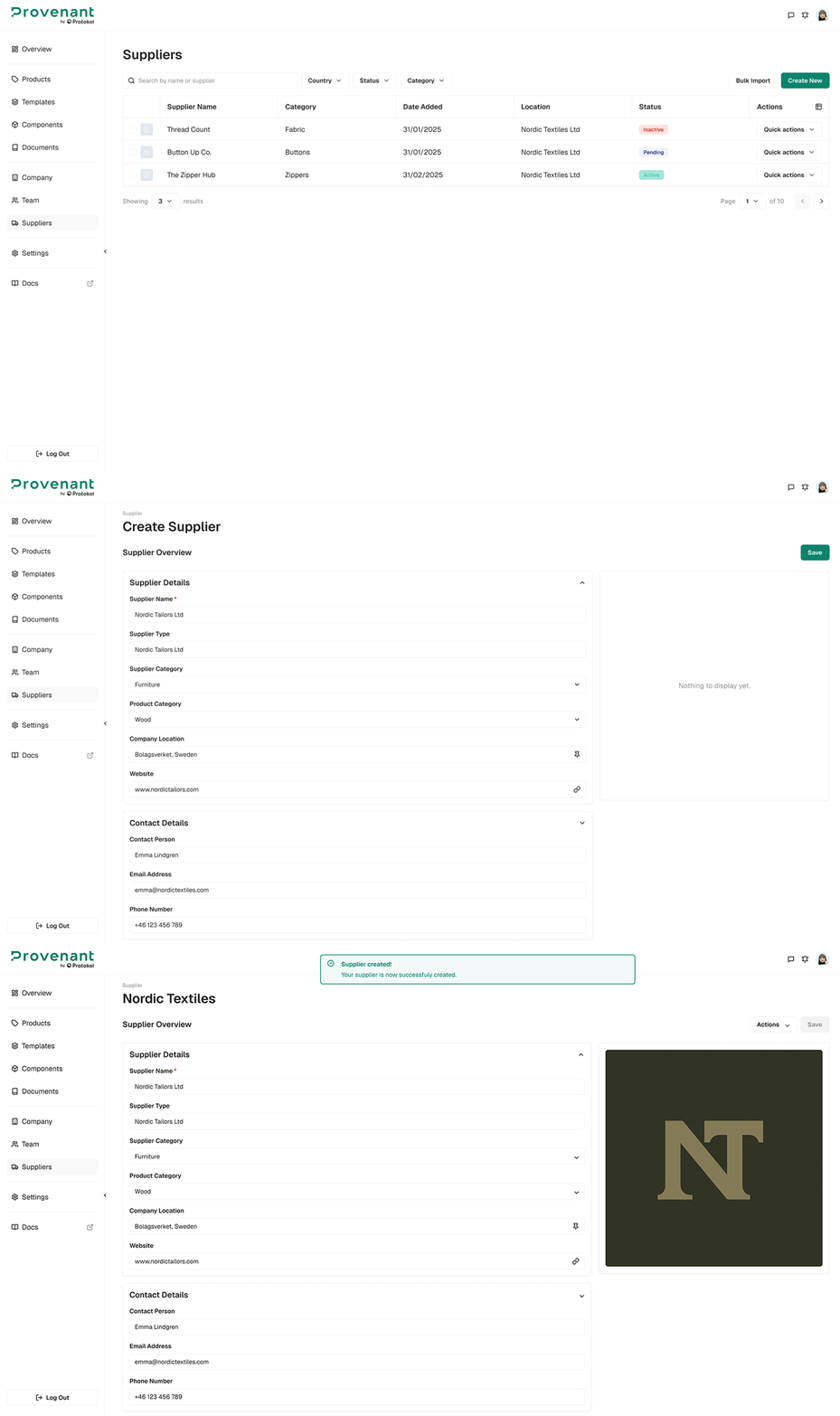
Create a supplier
- Open
Suppliers. - Click
Create New. - Fill in supplier details: Supplier name (required), company location, website, contact person, email address (optional), phone number, operation sites (optional, multiple allowed), and brand logo (optional upload).
- Click
Createto save.
Supplier status logic
Supplier status is automatically determined based on whether an email address is provided:
Pending→ An email address is provided (supplier can be invited).Active→ No email address is provided (supplier exists without invitation flow).Inactive→ A previously sent invitation was rejected.
If the supplier email is modified after creation, the status resets to Pending and a confirmation step is required.
Note
If your production behavior differs from the status rules above, align this section with the UI labels shown in your workspace.