Supplier Review
Overview
Use Supplier Review to request suppliers to validate or complete component data via an invitation flow. Suppliers can propose changes or reject the request with a reason. Internal teams can approve and merge changes, reject them, and restore previous versions. Review history is retained.
Where to find it
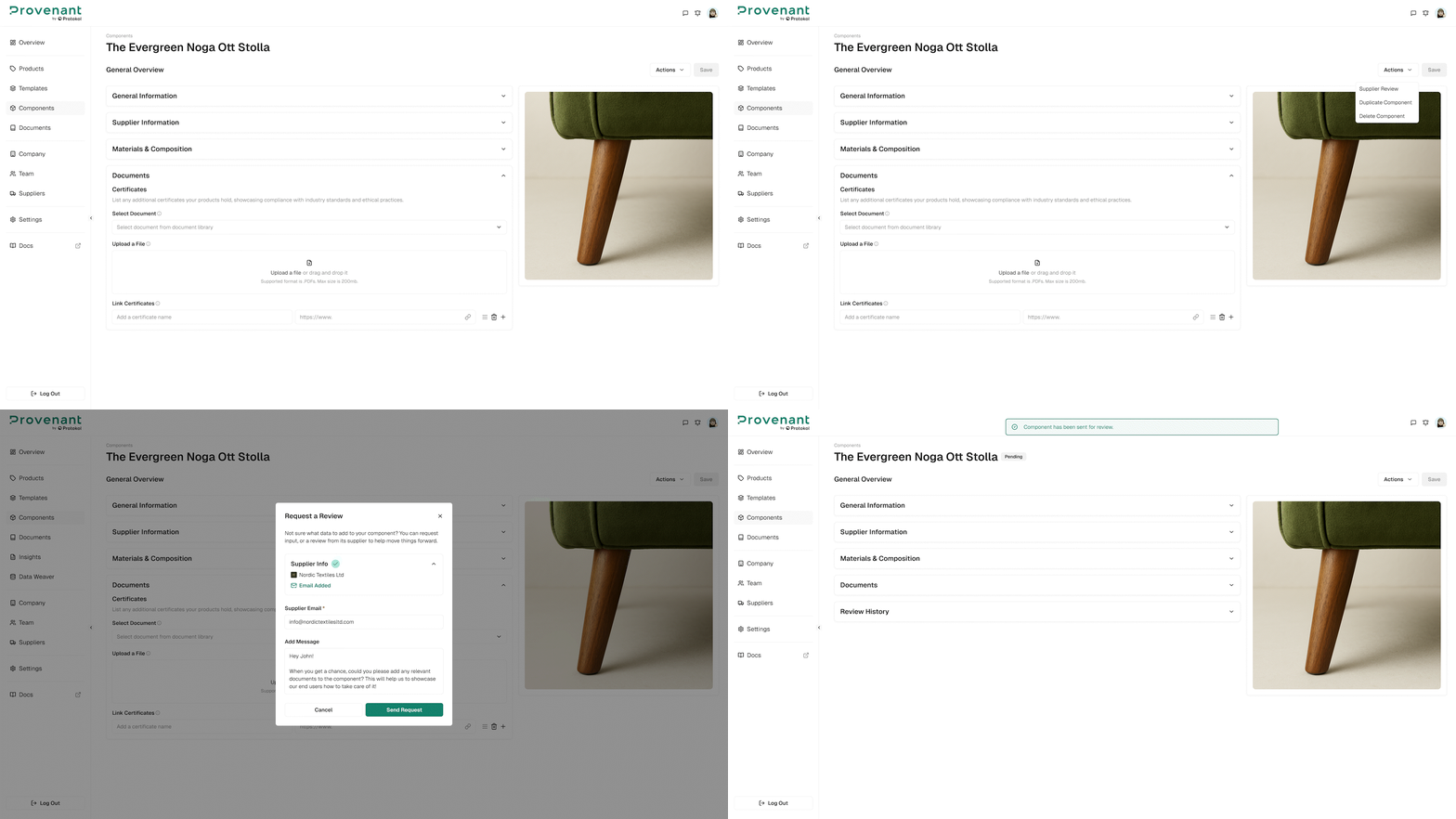
Open a component, then select Supplier Review. You can also select Quick Actions › Supplier Review in the Components list.
Send a supplier review request
Steps
- Open a component.
- Click
Supplier Review. - In the
Request a Reviewdialog, check theSupplier Info. If the supplier has no email address, clickEdit Supplierto add one. - Optionally, add a message for your supplier in
Add Message. - Click
Send Request.
Review history and restore
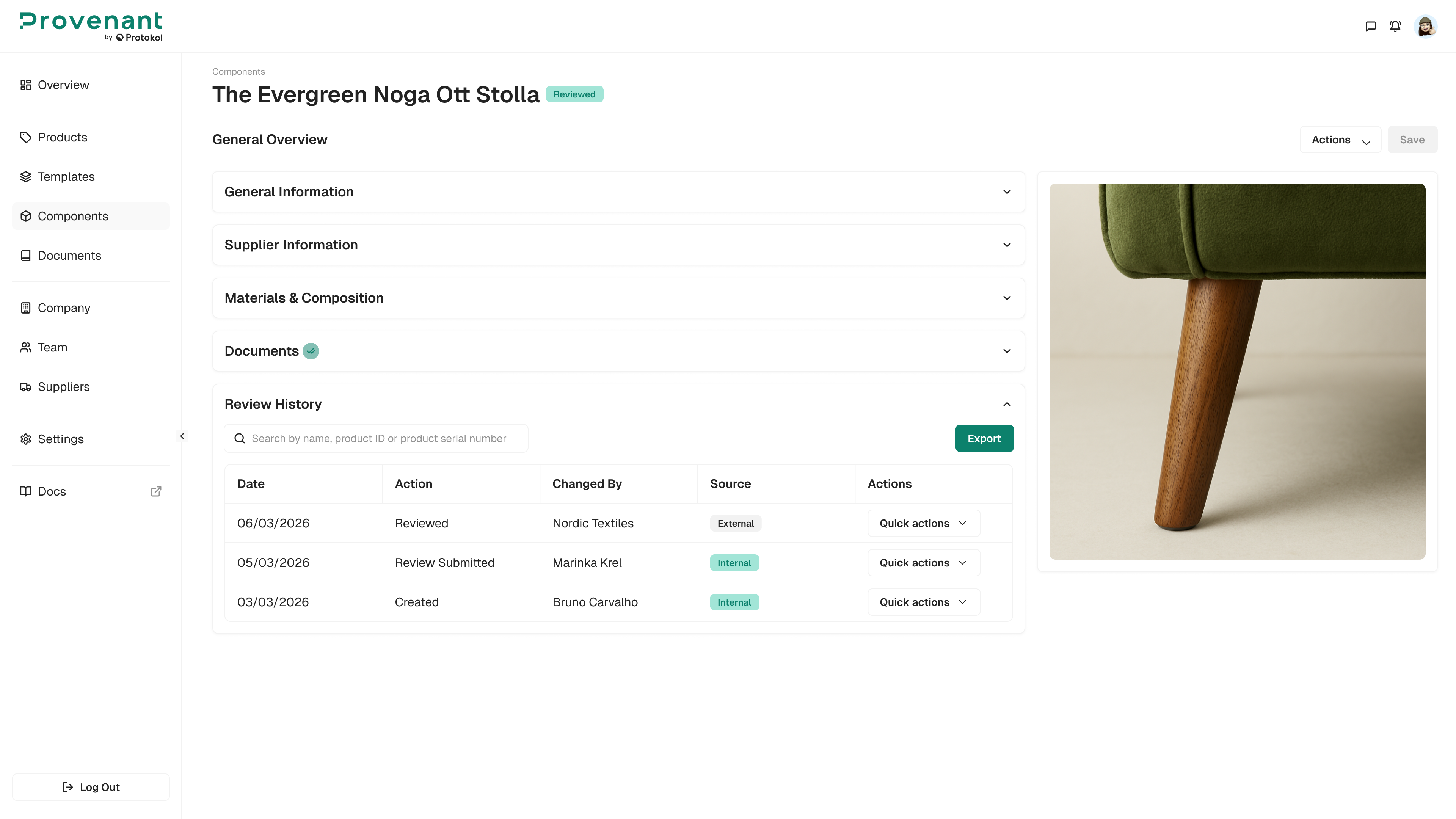
All review actions are logged (submissions, approvals, rejections, restores) in the Review History of the component. Use View Report to see a review, and Restore to roll back to a previous version if needed.
To approve or reject a submitted review, open the review and select Approve Review or Reject Review.
If a supplier rejects a request, capture the reason in the record so internal reviewers understand what needs to change.