Dashboard
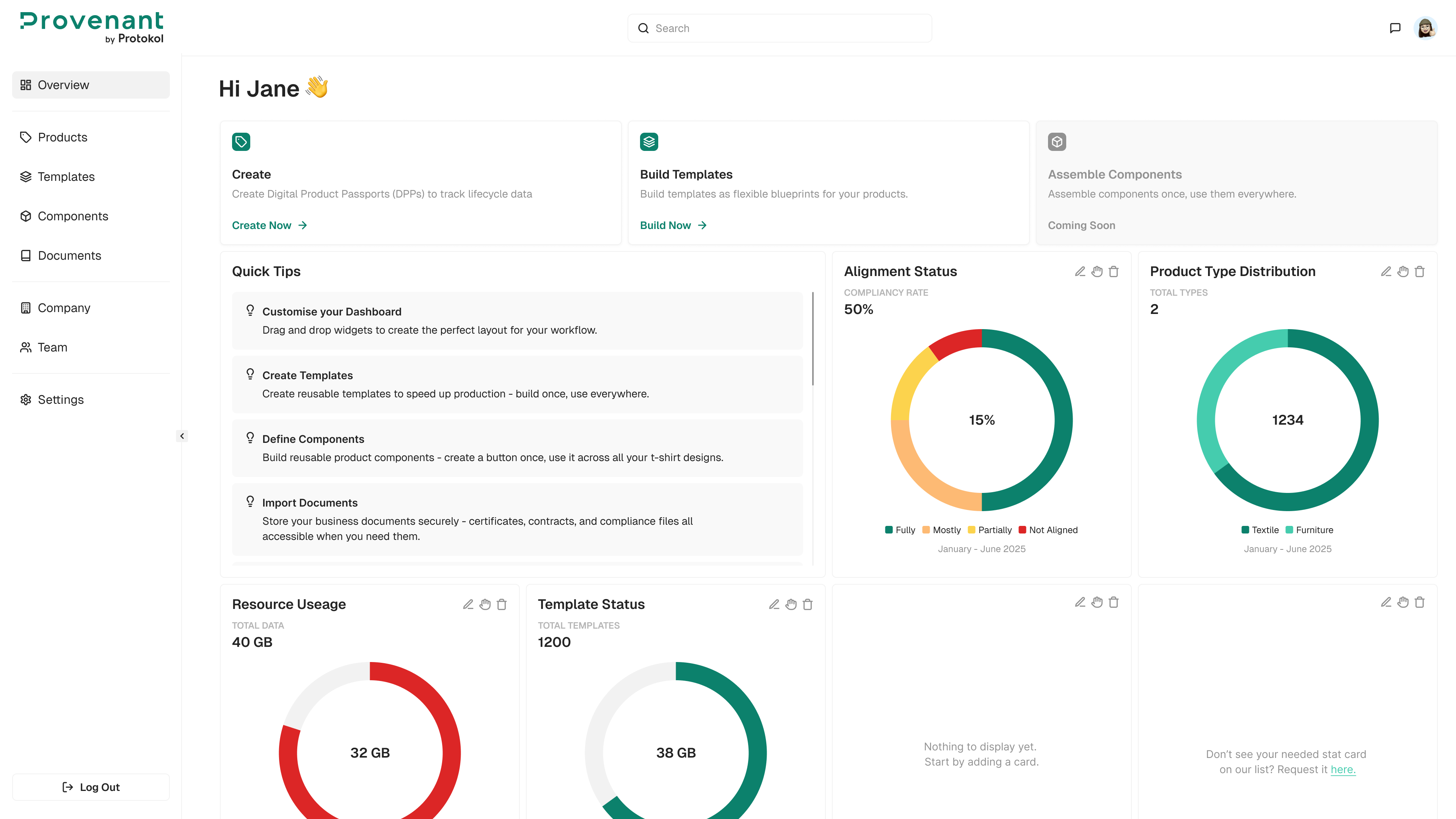
The Dashboard gives you a quick overview of product performance and DPP activity. Each card displays key metrics that can be customized, hidden, or reordered to fit your workflow.
Open the dashboard
- In the left navigation, select
Overview. The dashboard opens with your active cards.
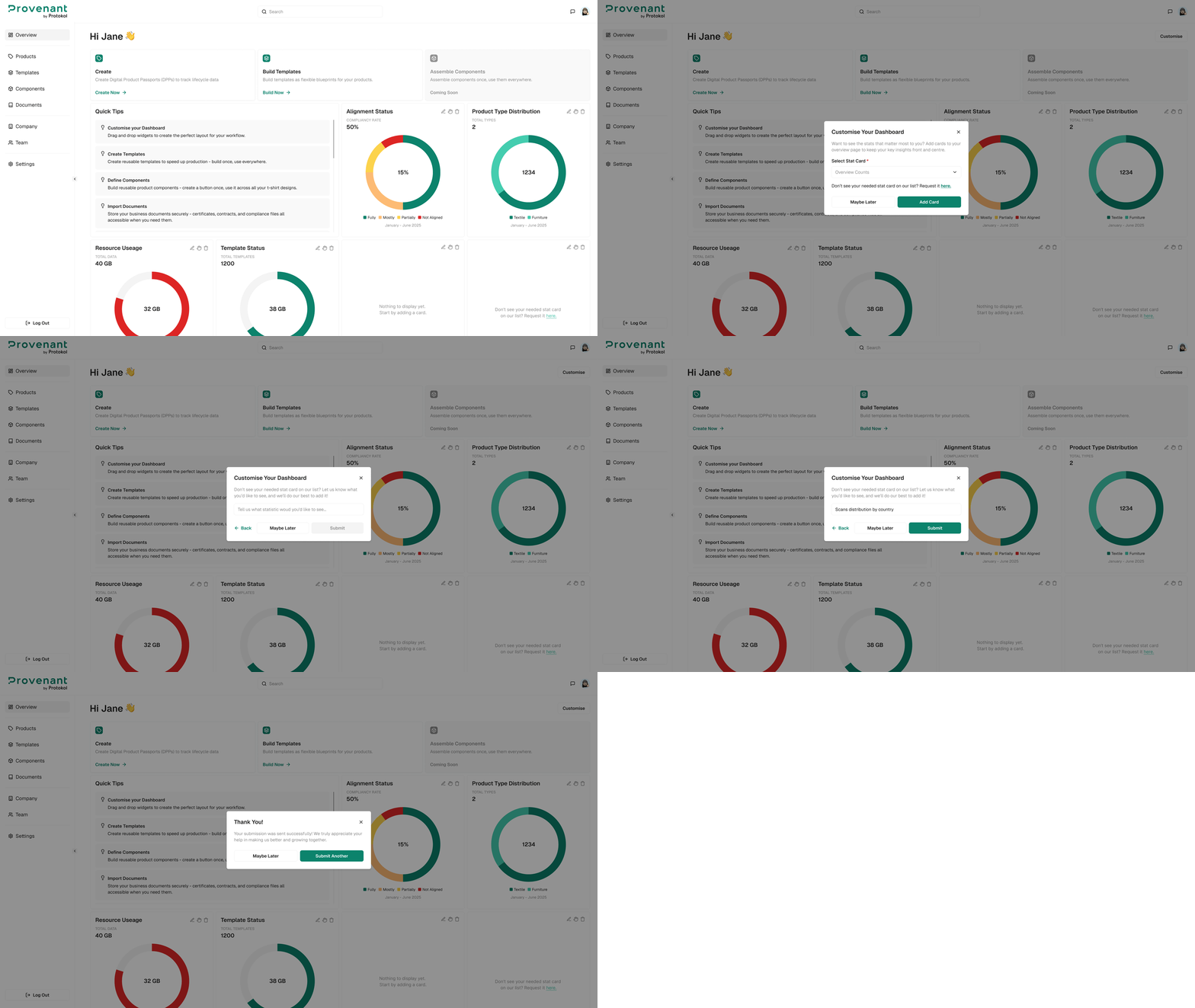
Suggest a new statistic (optional)
- In any card’s feedback prompt, type your suggestion. Select
Submitor chooseMaybe Laterto dismiss it.
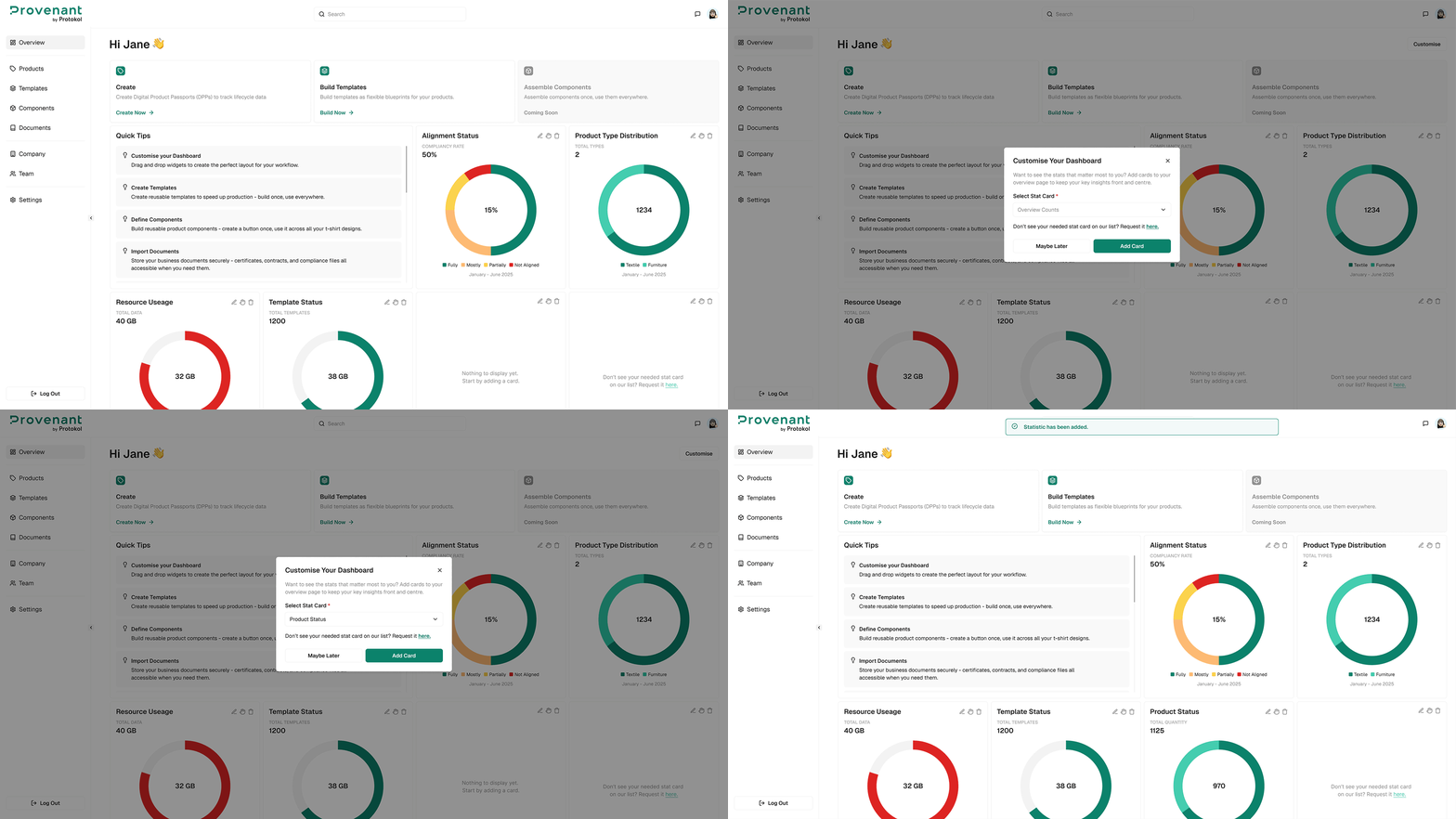
Customize your dashboard
You can tailor which insights appear:
Remove a card— Click the three-dot menu on a card and select Remove Card.Reorder cards(if available) — Drag cards into a new position.Add new cards(if available) — Click Add Card, then choose the desired metric.
tip
If reordering or adding cards isn’t yet enabled in your environment, only removal and feedback are currently supported.
Example: Template Status card
- Open Template Status from the dashboard.
- Review the compliance prompt if displayed.
- Confirm the action to update status.