Data Field Access Roles
Control which DPP fields are visible publicly and which are protected. Field-level access lets you include sensitive or restricted data in the underlying DPP record without exposing it to every visitor who scans the QR code.
How it works
- Each template has its own
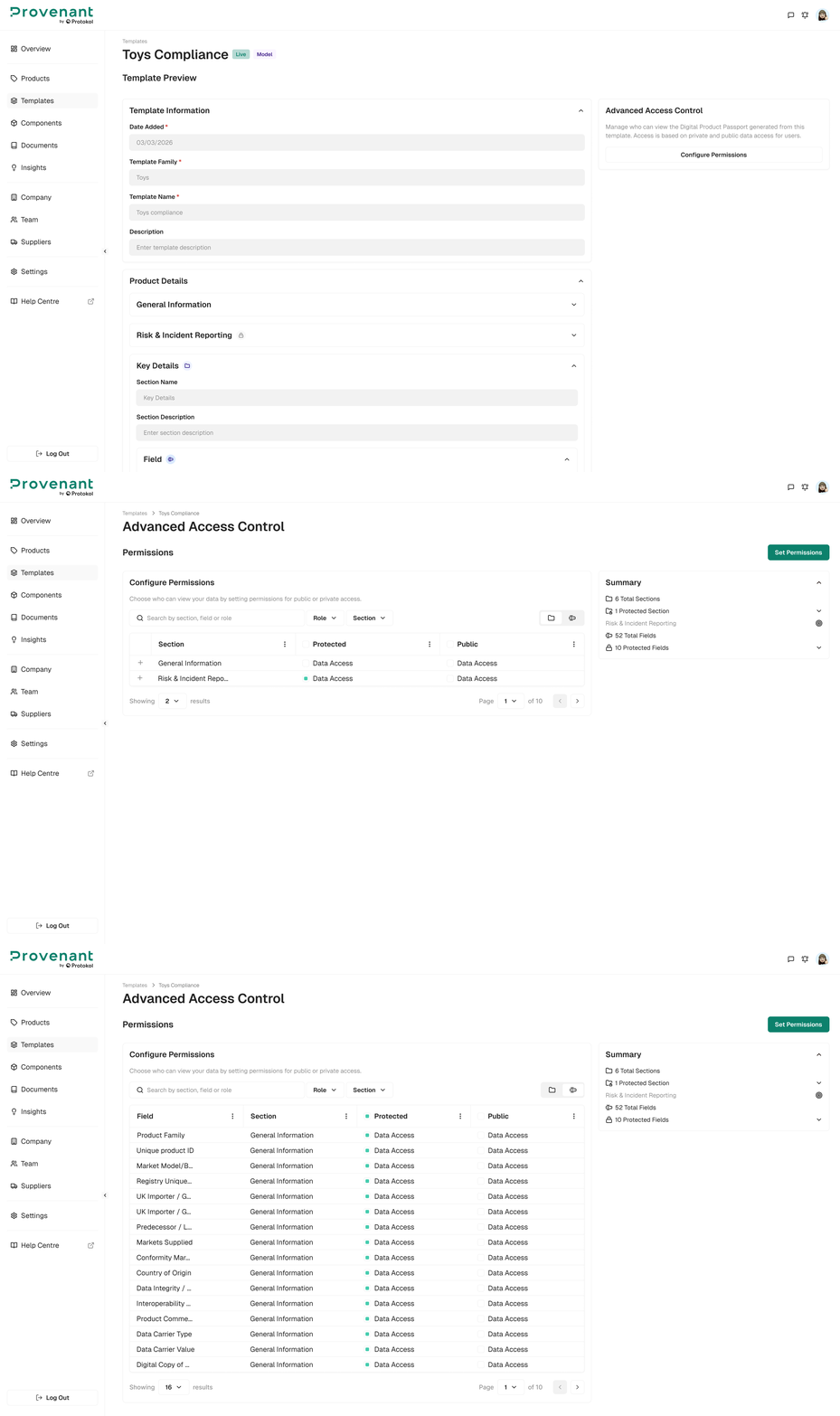
Advanced Access Controlpage, where you set the access for each field in theProtected,Public, andExternal Actorscolumns. Publicfields are visible to anyone who scans the DPP QR code, with no login required.Protectedfields are hidden from the public DPP view. In this version, Protected controls public visibility only; role-specific access to protected fields (for example, for auditors, recyclers, or customs authorities) is not yet available.External Actorscontrols which fields external actors (for example, suppliers) can see when they open the DPP with External Actor Access. The options areNo AccessandRead Only.Access settingsare configured once per template and apply to every product and batch that uses it.
Configure field access
Field access is configured from the template, not from an individual product. Changes apply to every product using that template.
- Open
Templatesand select the template you want to configure. - In the
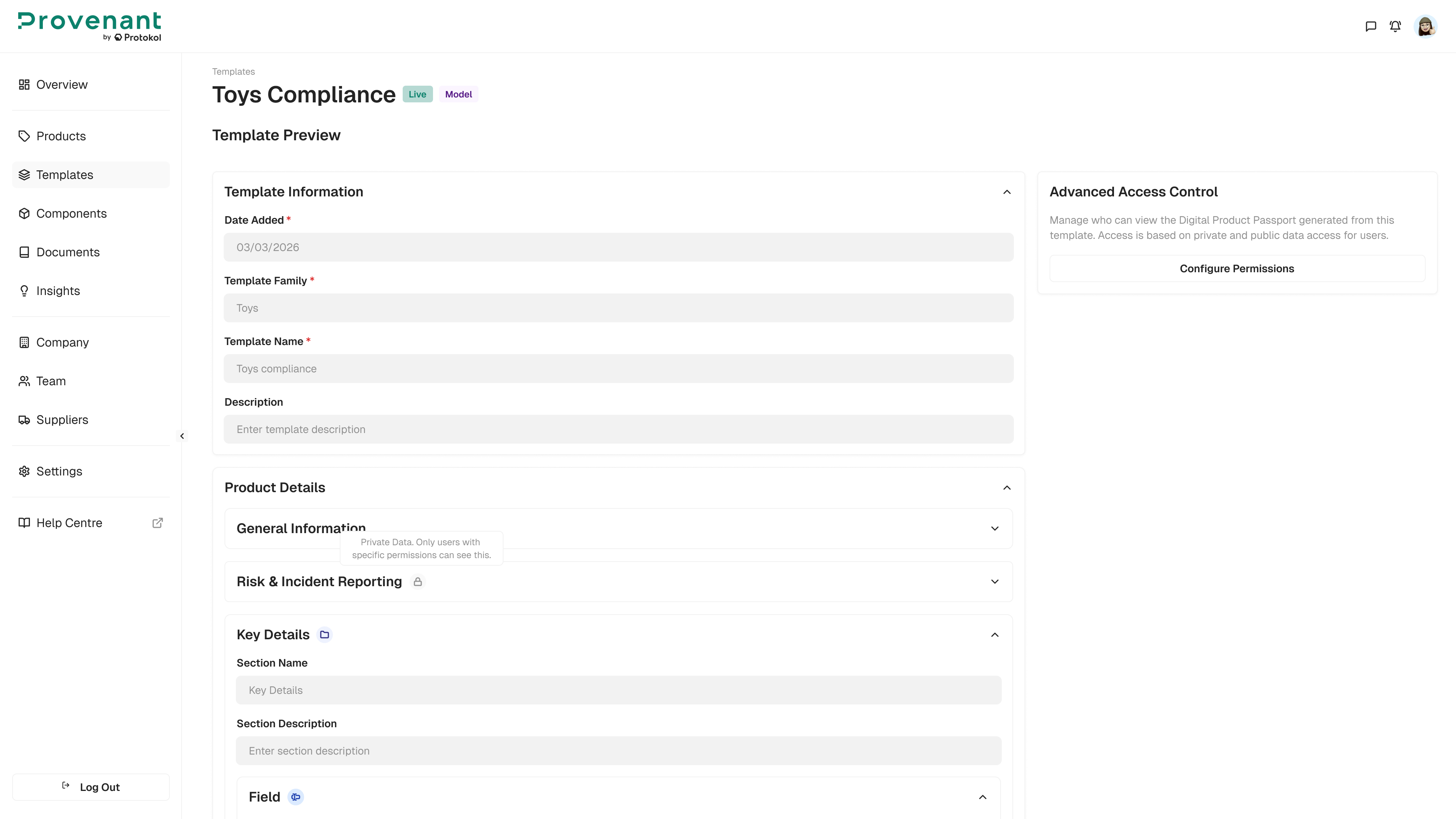
Advanced Access Controlcard, clickConfigure Permissions. - Expand a section to see its fields.
- For each field or section, select the access in each column:
No AccessorData Access(Read Onlyfor External Actors). Fields withNo Accessin thePubliccolumn are hidden from the public DPP. - Click
Set Permissions.
Where protected fields show in the Manager
Protected status does not itself restrict access inside the Manager. Users can view or edit fields according to their existing Roles & Permissions. A small “Protected” indicator appears next to protected fields on the template and product edit screens, so your team can see what will be hidden from the public DPP before publishing.
Note: This is the first phase of field-level privacy. Selecting individual roles for a Protected field is planned for a future release.