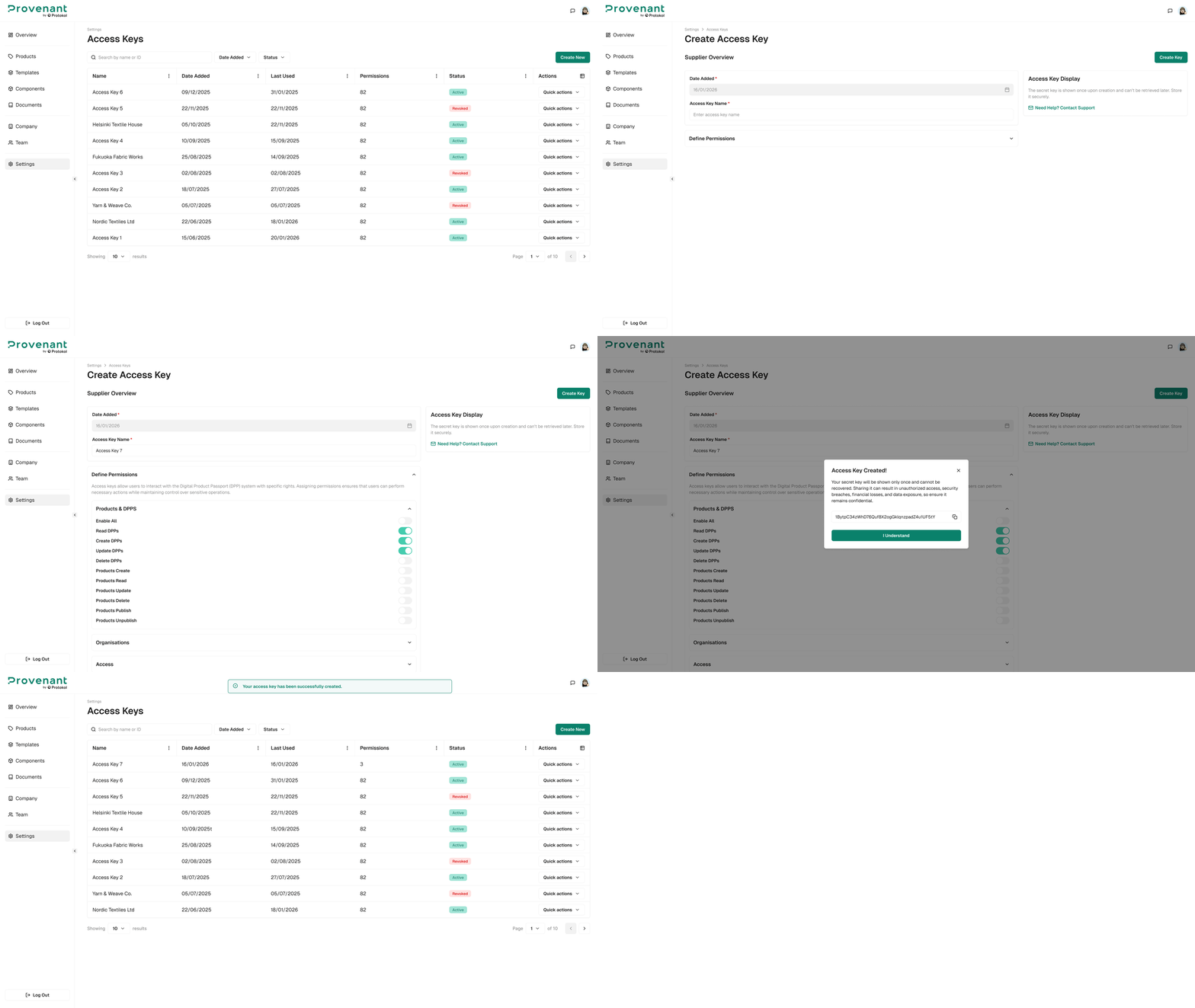
Access Keys
Use Access Keys to create scoped API keys for integrating Provenant with other systems (for example, ERPs, PLM tools, or custom data pipelines). Developers can use these keys with the Provenant API - see the API documentation at DPP API - by Protokol.
Create a key
Steps
- Open
Settings›Access Keys. - Select
Create New. - Enter an
Access Key Name(for example, ERP Connector or Data Warehouse Export). - In
Define Permissions, enable only the scopes required for that integration. - Select
Create Key. Securely storethe generated key in your integration’s secret manager (do not share it by email or chat).
Revoke, activate, or delete a key
Open a key from the Access Keys list. Use Revoke to stop the key from working, Activate to turn a revoked key back on, or Delete to remove it permanently. In the list, you can filter keys by Date Added and by Status (Active or Revoked).