Model Overview
The Model Overview is your central workspace for managing a product’s Digital Product Passport (DPP).
From here, you can publish, republish, or unpublish the DPP, preview it as an end user, download the QR code, copy the DPP URL, add events, and manage batches — all from one screen.
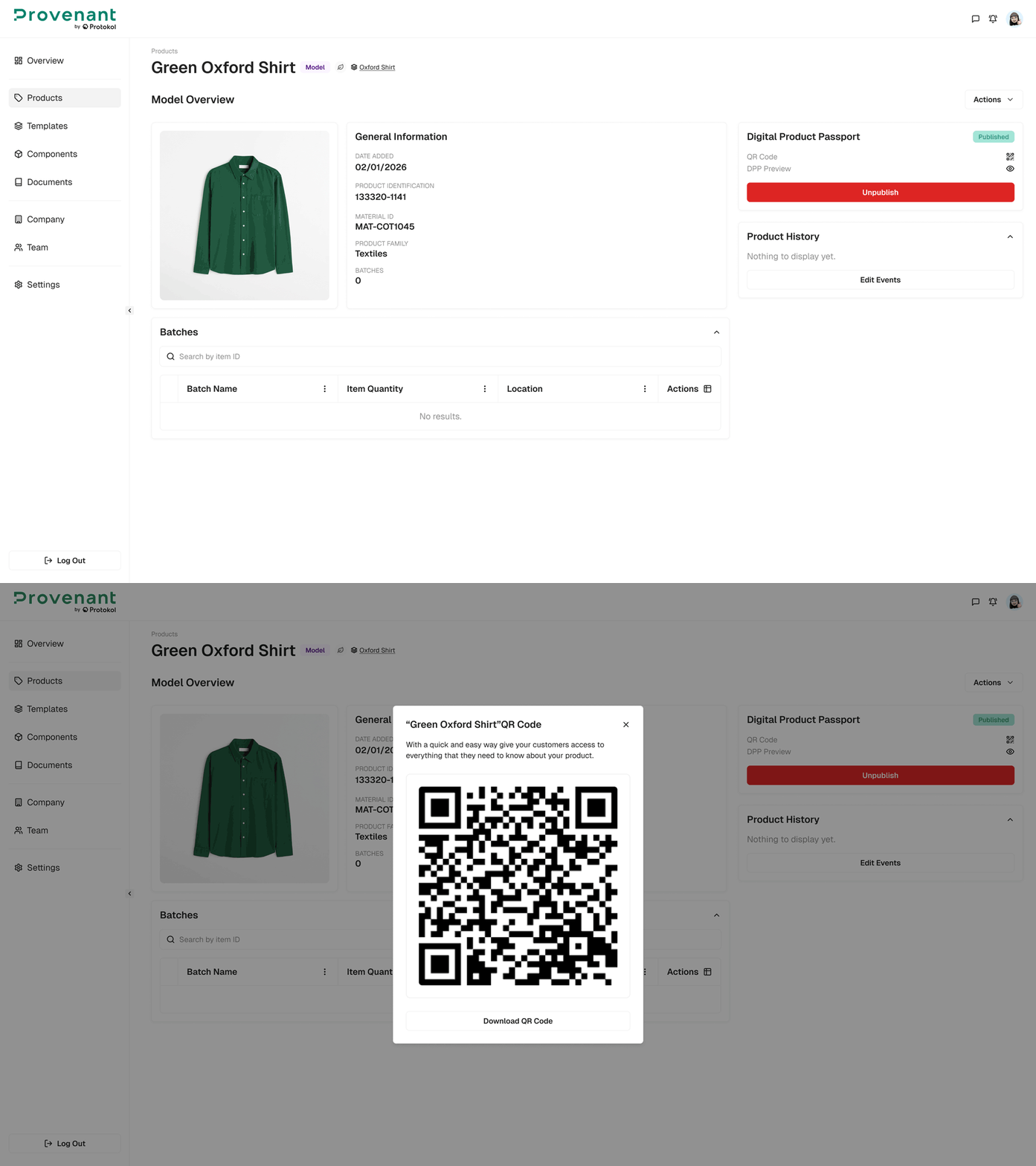
Common actions
| Action | Description |
|---|---|
| Publish / Republish / Unpublish | Control whether the DPP is publicly visible via its QR code. When a published DPP is out of sync with its latest data, use Republish to update the live version. |
| DPP Preview | Open a live preview of the passport as end users will see it. Available only when the DPP is published. |
| Display QR Code | Show and download the product’s QR code for printing or digital sharing. |
| Copy URL | Copy the public DPP link to the clipboard. |
| Add Events | In the Product History panel, record milestones or sustainability updates in the product journey. |
| Edit Model | Update product details, materials, or environmental data. |
| Add New Batch | Open the Actions menu to create a batch for item-level or batch-level tracking. |
| Batch bulk actions | In the Batches table, select batches to download QR codes, publish, unpublish, republish, or delete them. |