Export QR Codes
Download QR codes for your Models, Batches, and Items in the format that best fits your production and marketing workflows. QR codes can be exported individually, or in bulk from the Model Overview (batches) and Batch Overview (items) screens.
Note: If the model has a GTIN and GS1 Digital Link is enabled, the QR preview also shows a GS1 tag.
Supported formats
All QR download actions (single and bulk) support the following formats:
- PNG – Raster image, good for digital use.
- JPG – Raster image, suitable for print where transparency is not needed.
- SVG – Vector image, scales without quality loss.
- EPS – Vector format used in professional print workflows.
- PDF – Single-page document, useful for labelling or sharing.
Download a single QR code
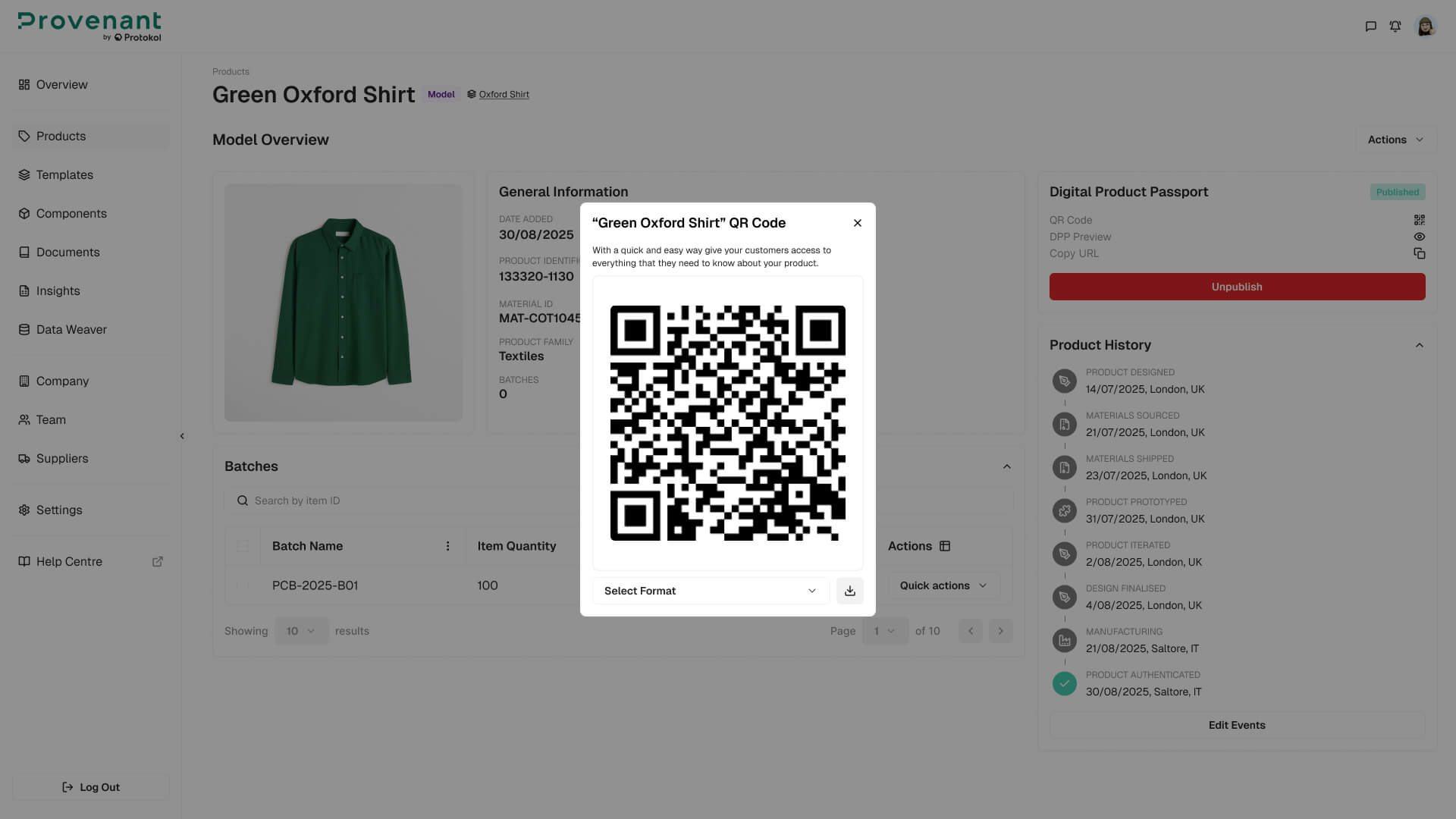
You can download a single QR code from the Model Overview, Batch Overview, an Item action menu, or the Products grid:
- Open the
Display QR Codeaction for the chosen Model, Batch, or Item. - In the modal,
reviewthe name and ID of the record. - Select the
formatfrom the dropdown: PNG, JPG, SVG, EPS, or PDF. - Click
Downloadto save the file.
Bulk download QR codes (Items)
From the Batch Overview screen, you can download QR codes for multiple Items in one action:
- Open the
Batch Overview. - In the Items table, select the rows you want to export.
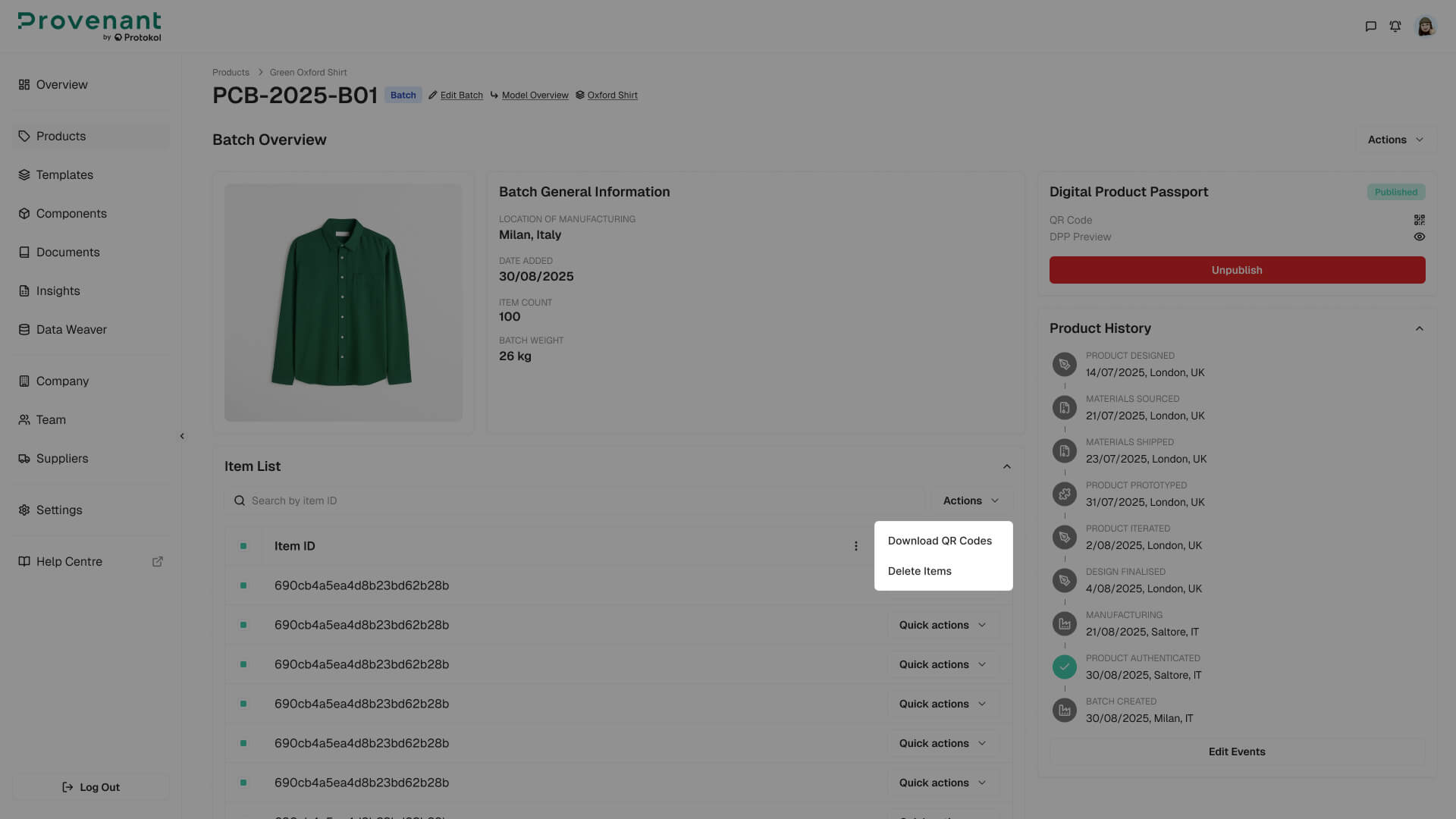
- Open the bulk actions menu and choose
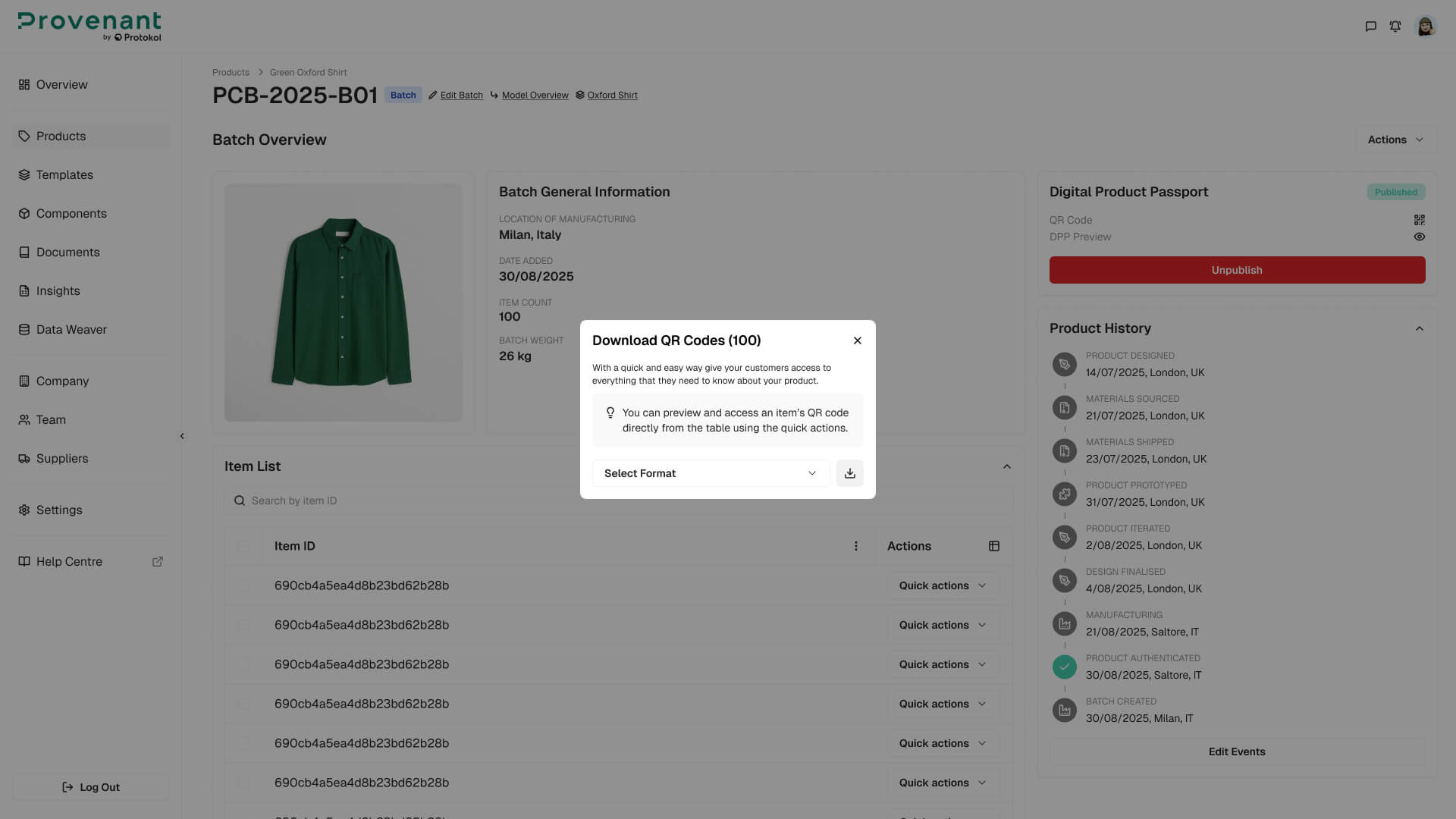
"Download QR Codes". The option is disabled until at least one item is selected. - In the modal, choose the
format(PNG, JPG, SVG, EPS, or PDF). - Click
Download. The platform returns a ZIP file containing one QR per item, named item -
<itemID>.<format>.
When only one Item is selected, the file downloads directly instead of being packaged into a ZIP.
Bulk download QR codes (Batches)
From the Model Overview screen, you can download QR codes for multiple published Batches in one action:
- Open the
Model Overview. - In the
Batchestable, select the rows you want to export. All selected batches must be published. - Open the
Actionsmenu and chooseDownload QR Codes. - Choose the
format, and then clickDownload. The ZIP file is named<modelId>-batches-qr.zip.
The same bulk actions menus also let you publish, unpublish, republish, or delete the selected batches or items.
Bulk delete items
The Items table also supports bulk deletion:
- Select one or more rows in the Items table and choose
"Delete Items"from the bulk actions menu. - Confirm the action in the dialog. Deletion is irreversible.
- The table refreshes once the items are removed.
File naming convention: bulk ZIP files use the convention <batchId>-items-qr.zip. Inside the ZIP, each file is named item - <itemID>.<format>. Bulk operations are designed to handle large batches; downloads of many items may be streamed asynchronously.