Components
Overview
Use Components to create reusable building blocks linked to a Supplier. Components can include materials and composition, certifications, and supporting documents, and can be reused during product creation to improve consistency and scalability across DPPs.
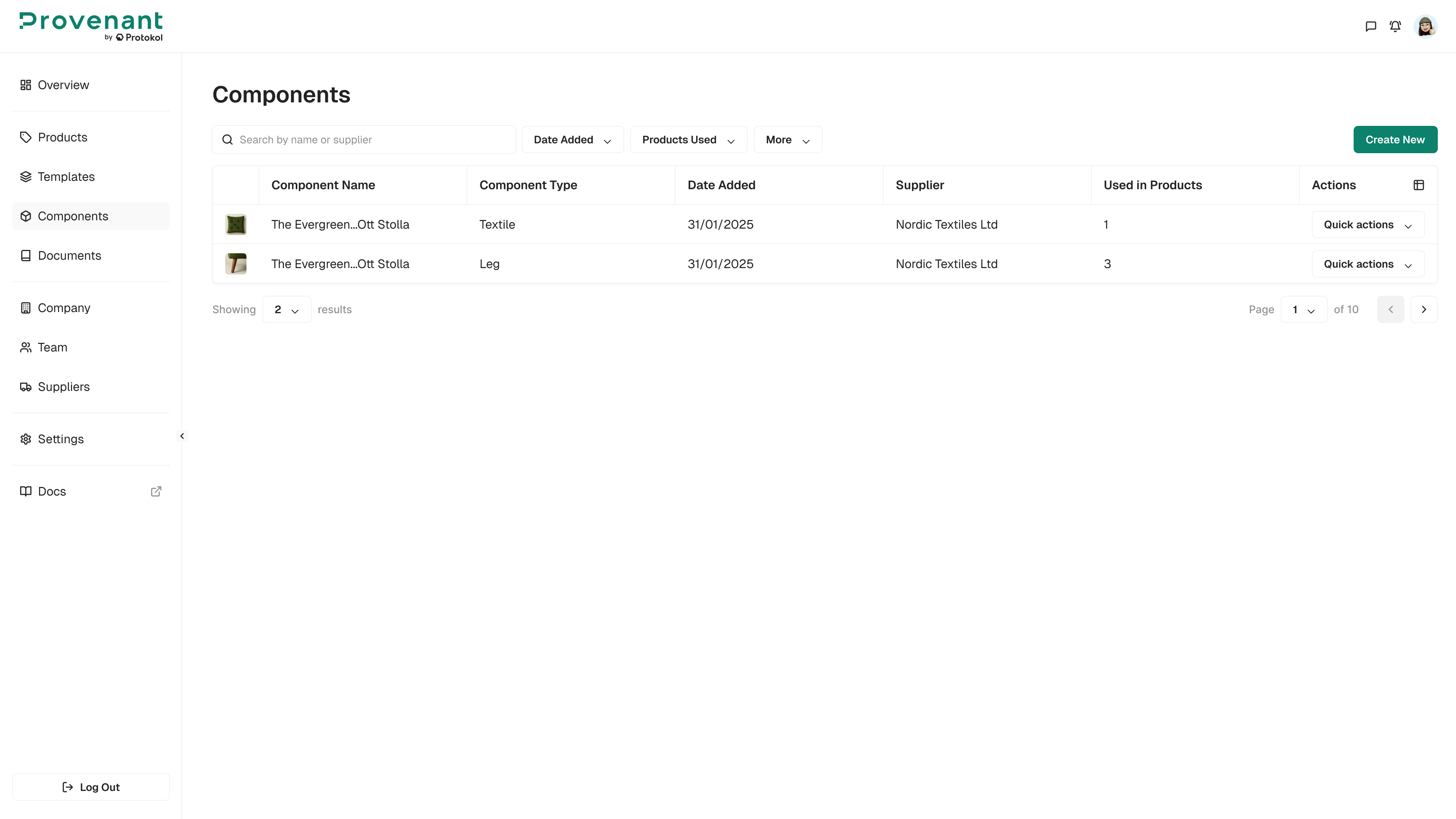
Where to find it
Go to Components in the left navigation.
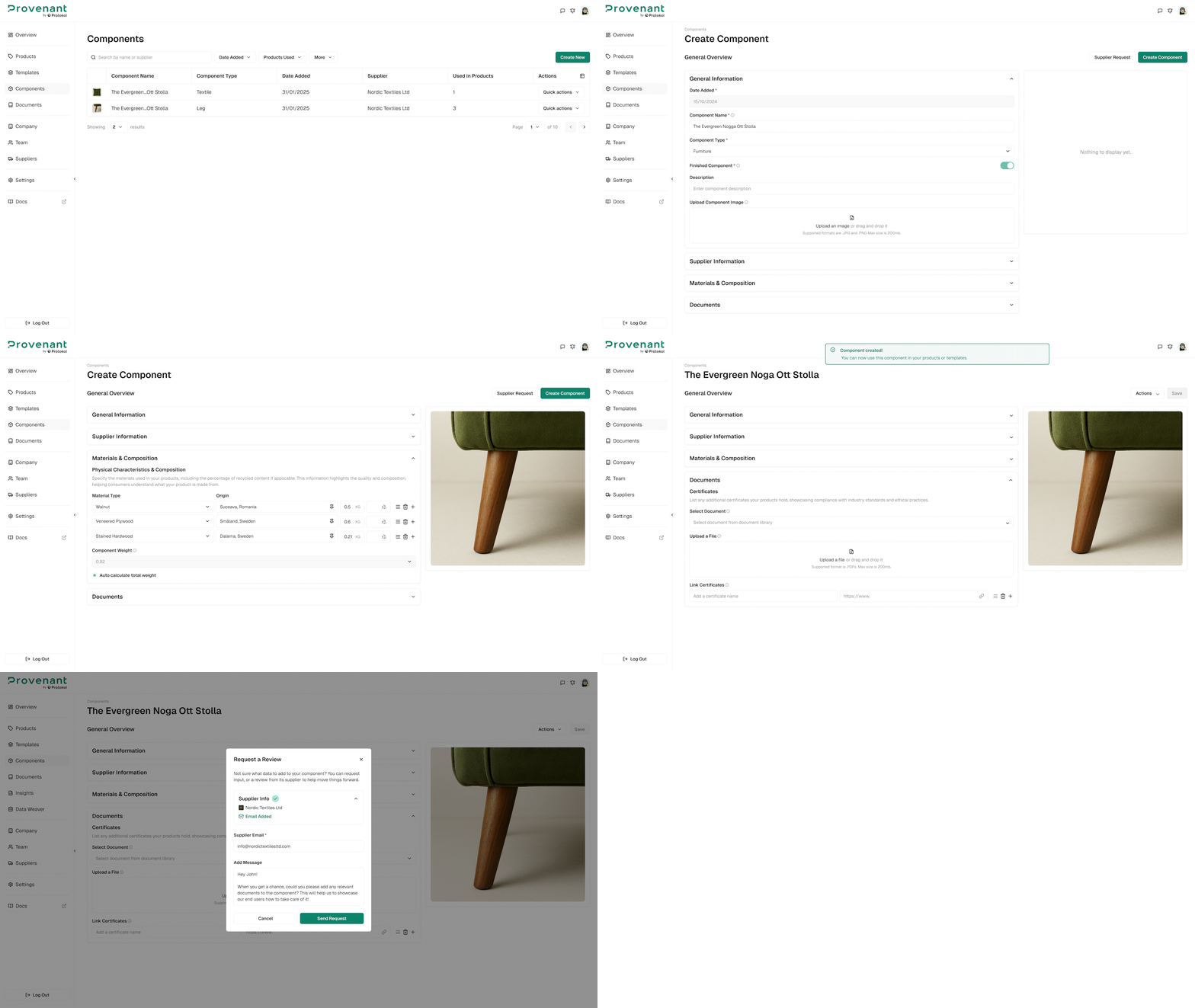
Create a component
Steps
- Open
Components. - Click
Create New. - In the
Select Templatedialog, select a component family and a template, and then clickSelect Template. - Complete the required fields.
- Select an existing
Supplier(or create a new supplier). - Click
Create Component.
Manage components
In the Components list, you can search by name or supplier, and filter by Date Added, Suppliers, and Type.
Open Quick Actions on a row to:
Edit– Open the component.Supplier Review– Ask the supplier to review the component data. See Supplier Review.Duplicate– Create a copy of the component.Delete– Remove the component. You cannot delete a component while a supplier review is pending.
Import a component from a DPP
You can also create a component from a published DPP, with Import Component. The component keeps its values in sync with the source DPP. See Import a Component.
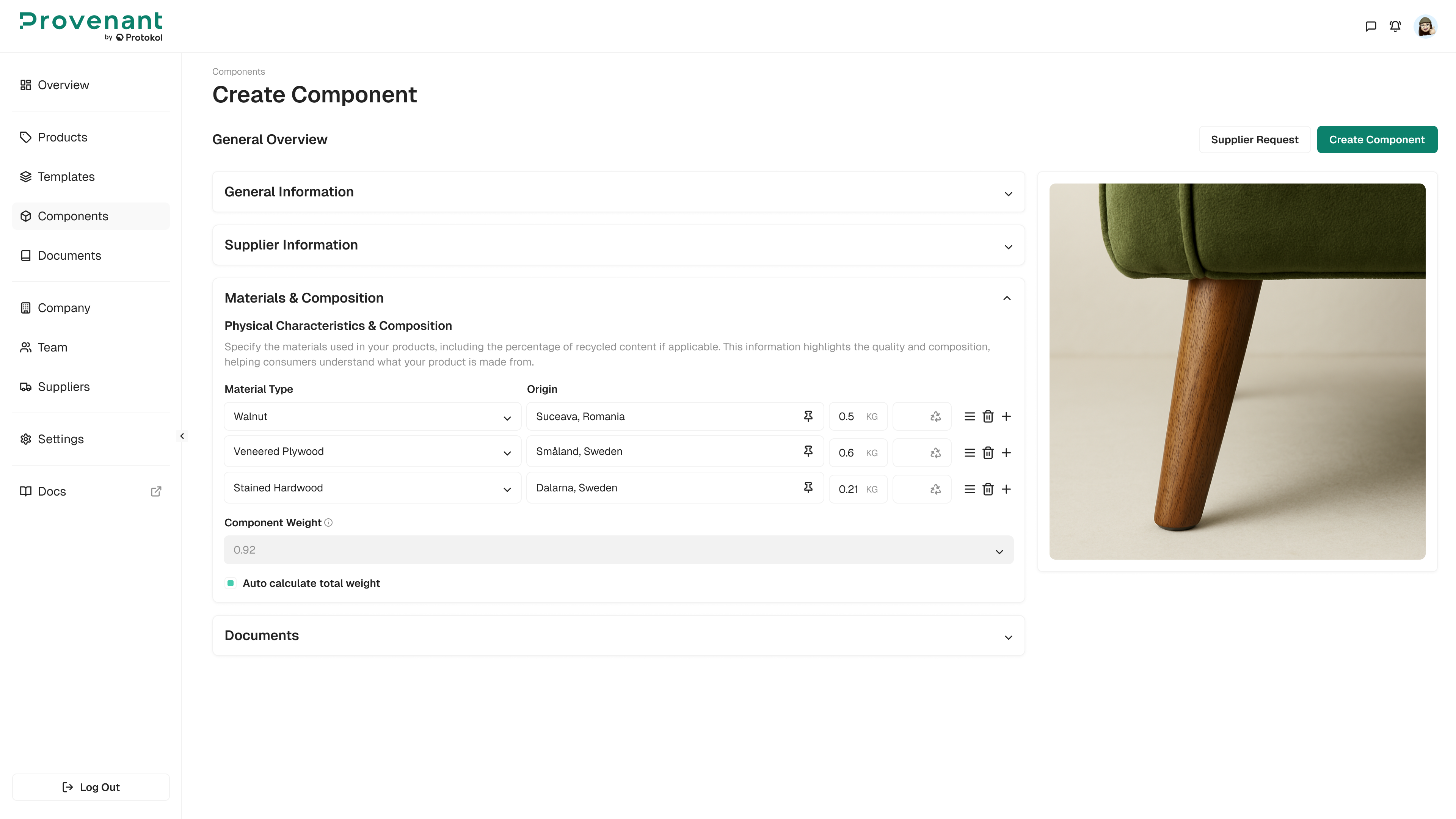
Materials & Composition
Capture materials data such as origin, weight, and recycled content. Total weight is auto-calculated unless manually overridden.
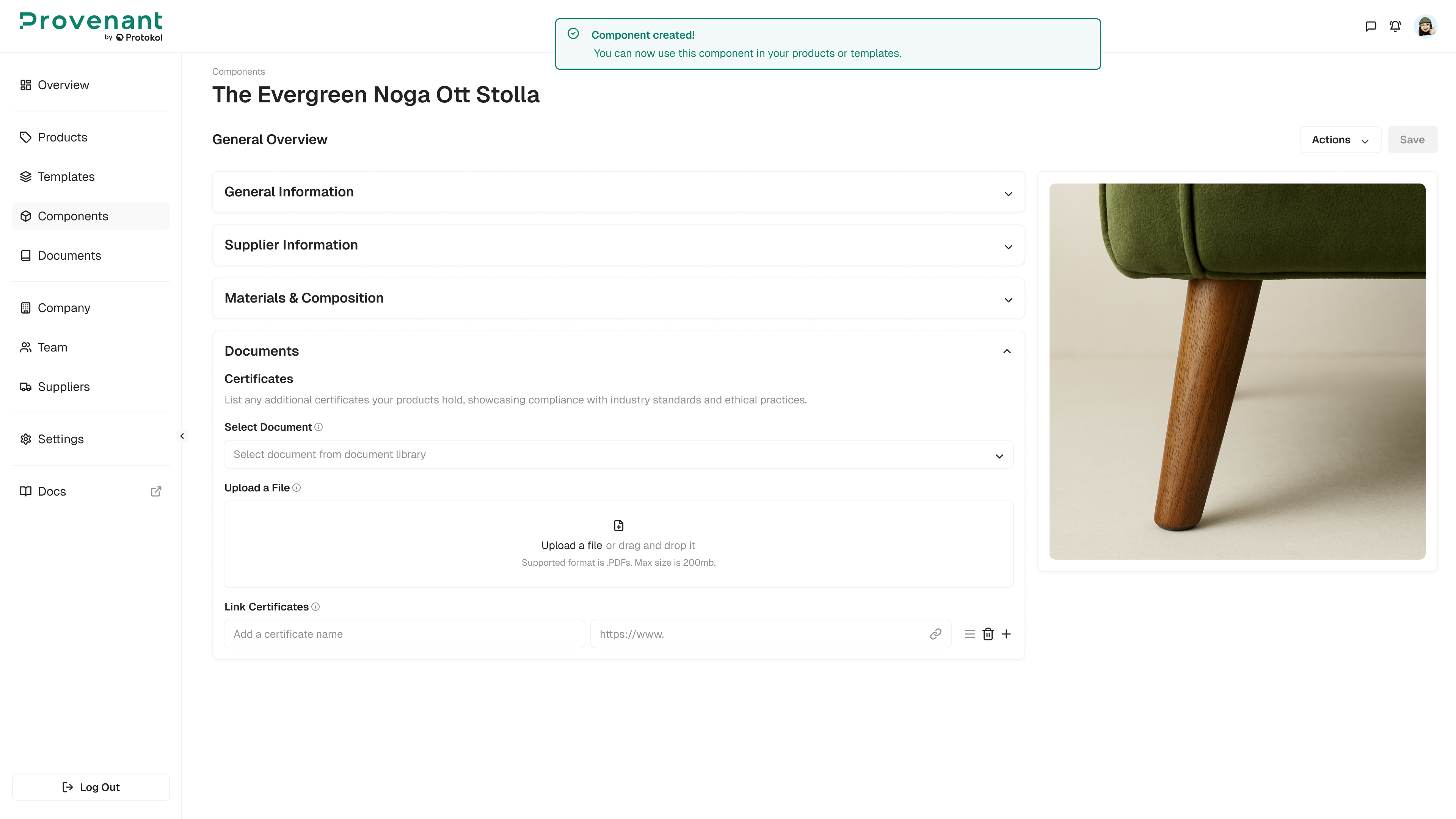
Certificates and supporting documents
Attach certificates and evidence that support component data (for example: certificates, test reports, related documentation). This helps reuse validated evidence across multiple products.
Create components once and reuse them across multiple models to reduce duplicated work and keep values consistent.