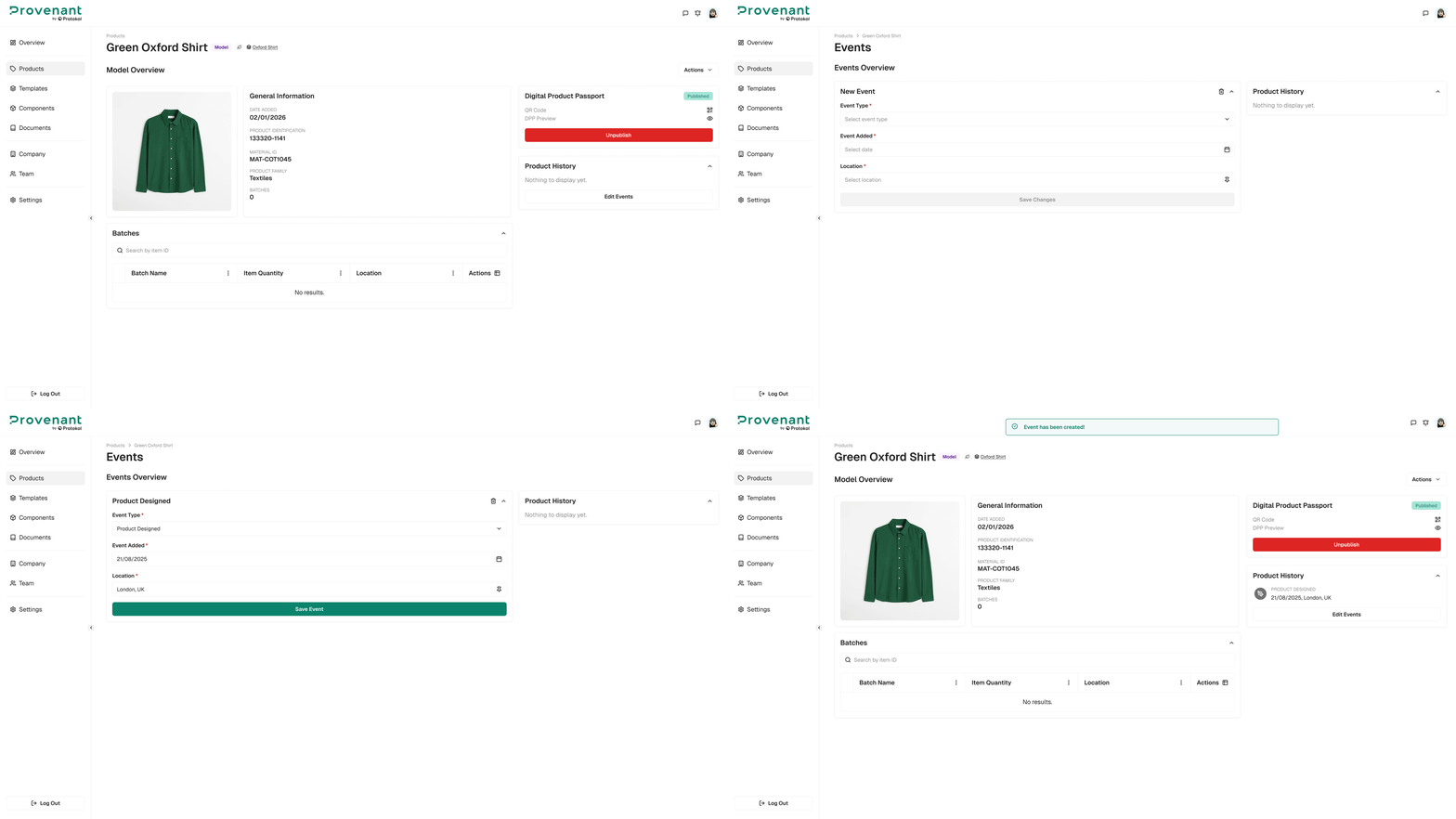
Add Model Events
Record milestones at the model level. Model-level events appear on all batches under that model in the DPP journey.
When to use model events
Use model events for changes that apply to every batch of a product, such as:
- Product launched.
- Certification obtained or renewed.
- Significant design update.
- Major sustainability or circularity milestone.
Steps
- Open the
Model Overviewfor your product. - In the
Product Historypanel, selectAdd Events(orEdit Eventsif the model already has events). TheEventspage opens. - Select
Add Event. - To add a custom event, turn on the
Custom Eventswitch. Keep it off for a standard (EPCIS) event. - Choose an
Event Typefrom the list. - Set the
Event Addeddate and theLocation. Some EPCIS event types also require aSourceand aDestination. - Optionally, add
Abouttext and upload a file for extra context. - Select
Create Event.