Data Weaver
Data Weaver helps you collect and organise product information from source files such as spreadsheets, PDFs, and other business documents before building a DPP. It uses AI to match extracted data to a selected template and highlight information that is still missing.
Note: Data Weaver is a gated feature. To enable it for your organisation, contact your Provenant representative.
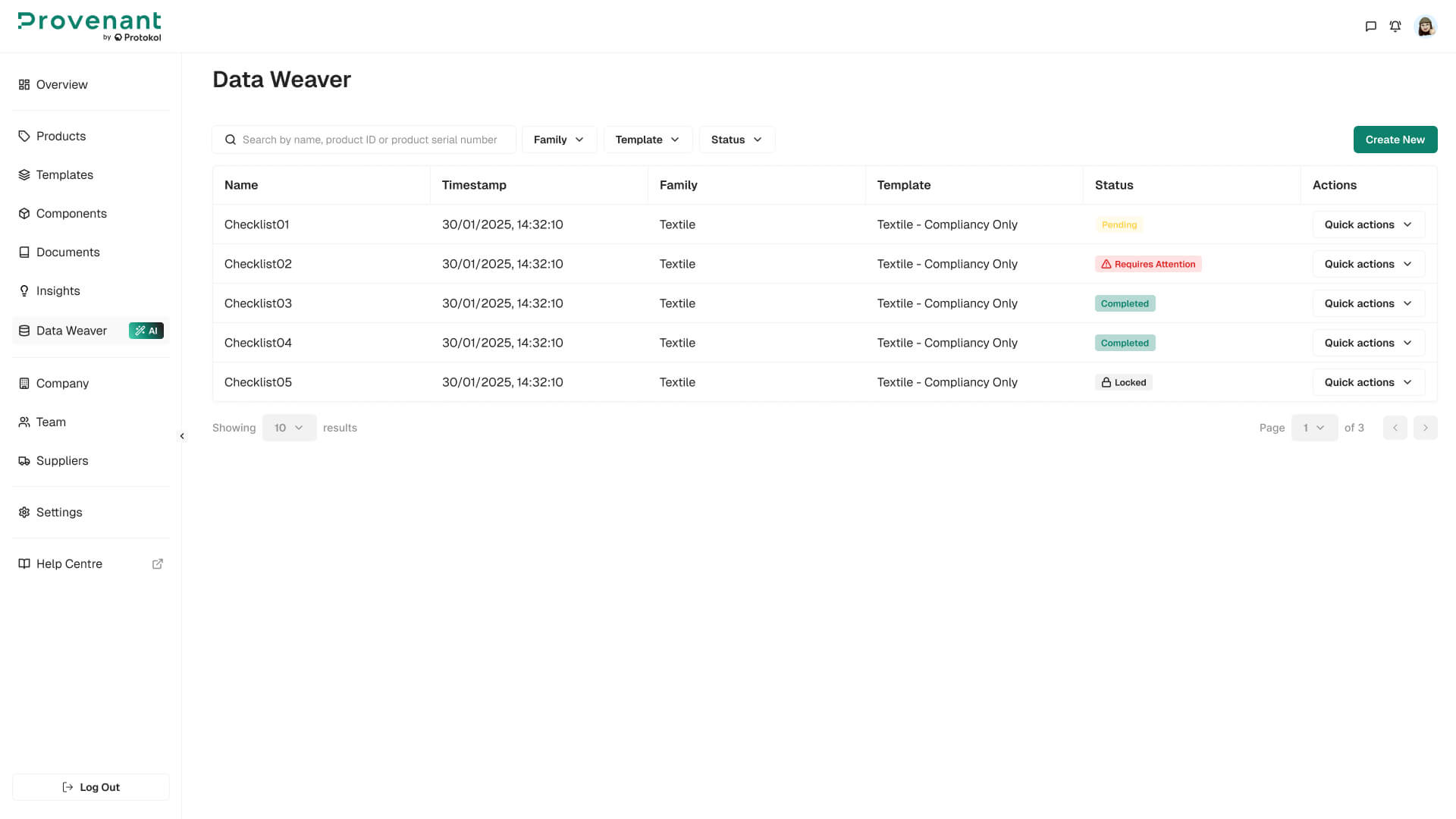
Where to find it
Open Data Weaver in the left navigation. This screen lists your projects with their family, template, status, and available actions (Edit, Rename, Remove, Export Report).
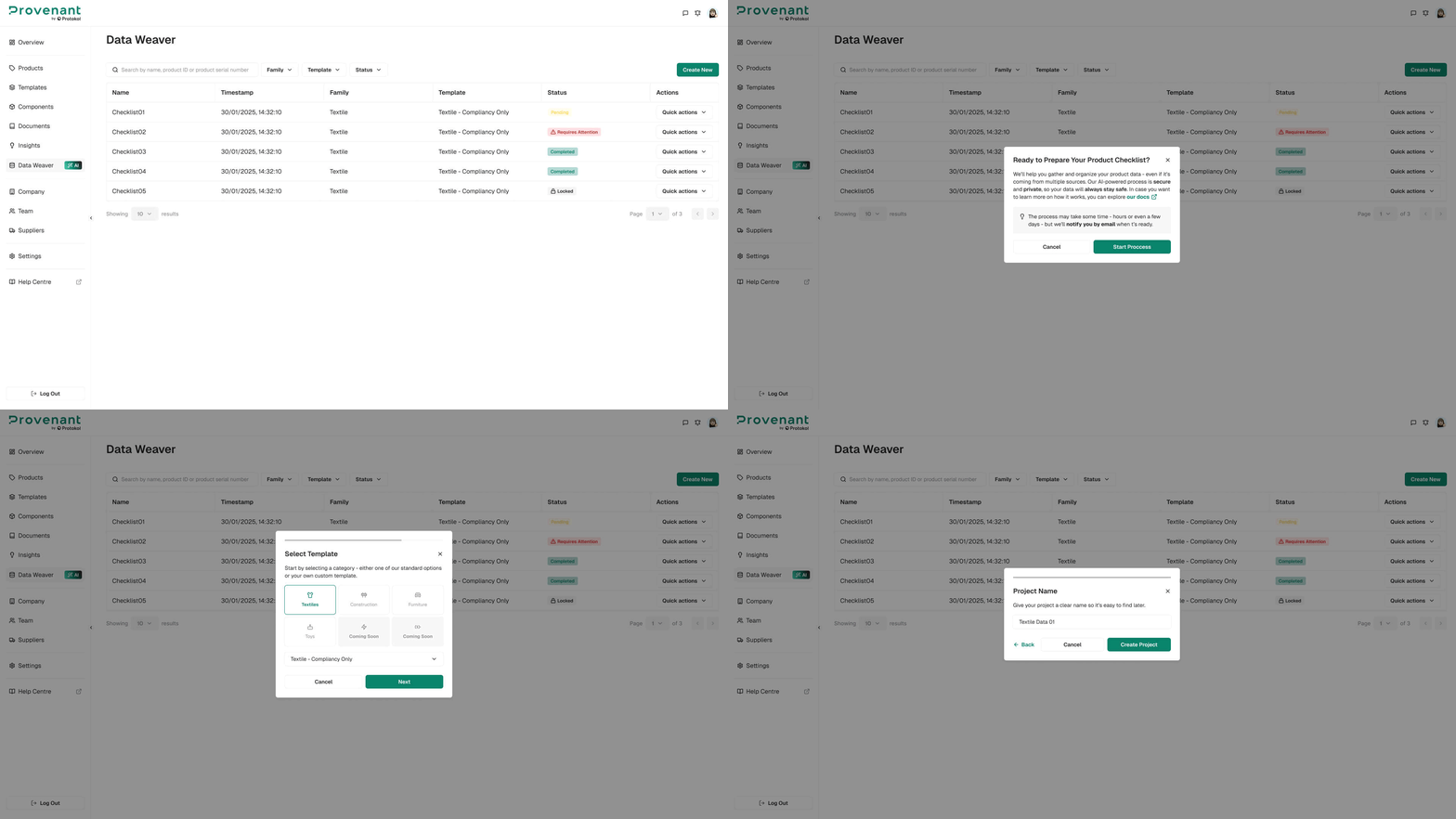
Create a project
- Open
Data Weaverand clickCreate New. - Select a product
categoryandtemplate. - Give your project a name, then click
Generate Project.
Upload files and review the AI results
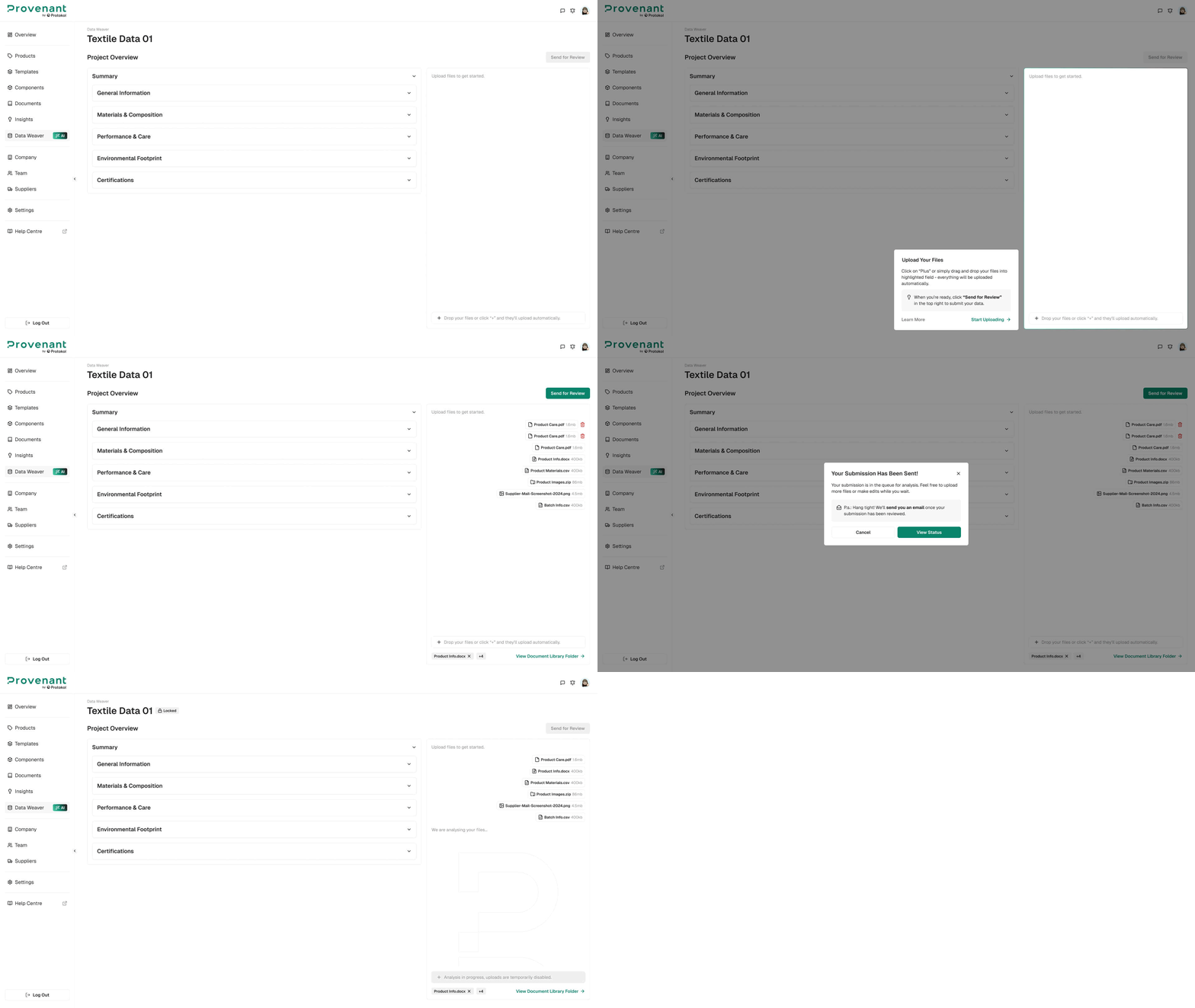
On the project detail screen, upload the documents that contain your product data (.xlsx, .csv, .pdf, .docx, .json, and others). Data Weaver analyses the files, suggests a category for each one, and extracts data into the matching template sections.
- Each template section shows a table with the field name, the data Data Weaver found, and the source file.
- Fields with no match are shown in red. Where available, Data Weaver also suggests a possible source for the missing information.
- Each section shows a counter of how many fields are still missing.
- Use the chat panel to upload more documents.
Export the checklist
Click Export Checklist to download an Excel file covering every template section, the data found for each field, its source file, and suggestions for fields that are still missing. Use the checklist to track what remains before creating the DPP.
Note: Data Weaver builds a checklist to help you prepare your data; it does not create the DPP for you. Once your data is ready, create the model as usual from Products.