Usage Tiers & Overage
Provenant classifies models by recent activity and tracks model, batch, and item usage against your plan limits, giving you a clear view of current usage.
How models are classified
By default, every model is automatically placed into one of three activity tiers based on the most recent edit to the model or anything under it (a batch or item):
Active- updated within the last 365 days.Warm- between 366 and 1,095 days since the last update.Cold- 1,096 days or more since the last update.
Usage warnings
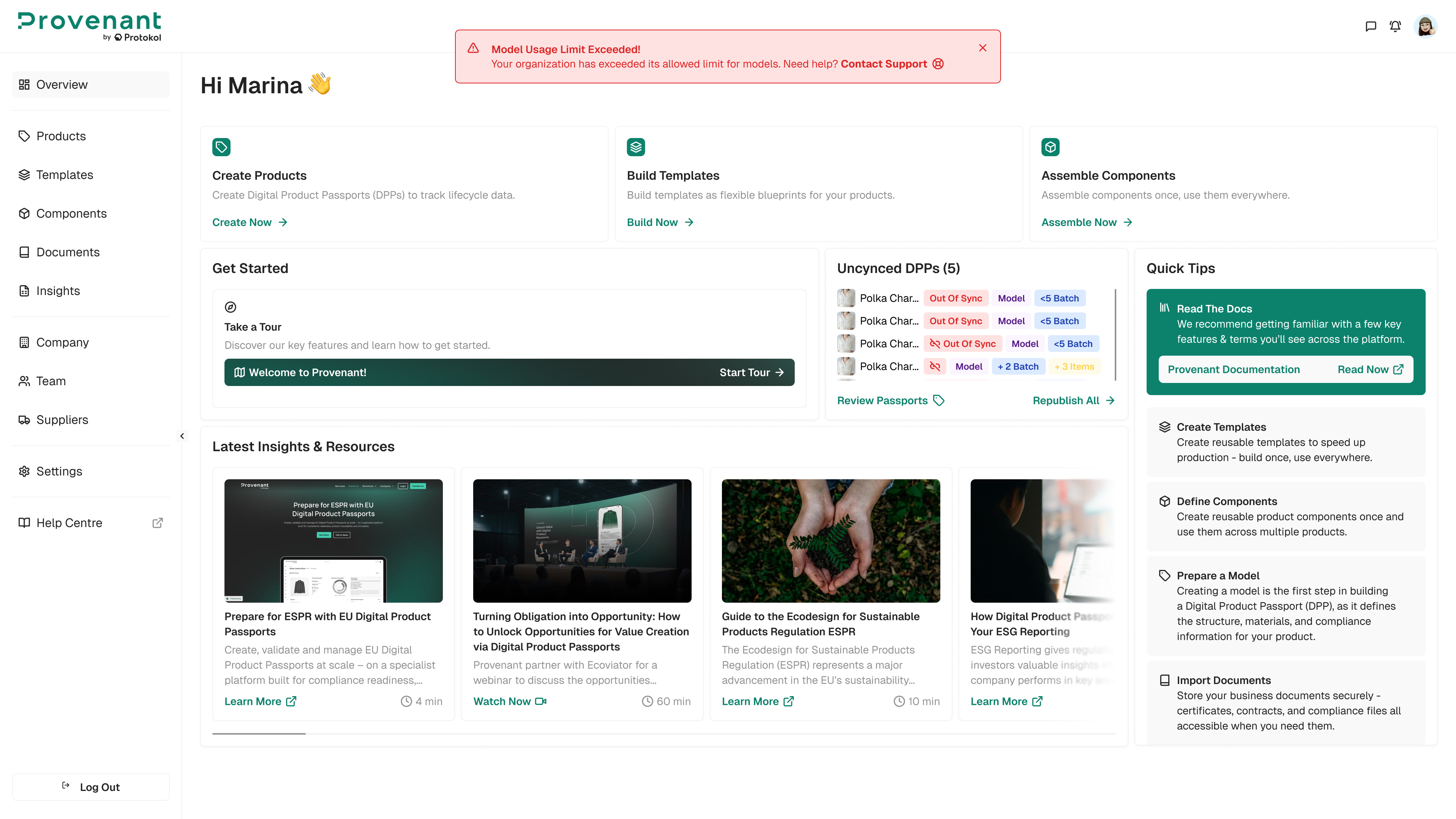
If your organisation exceeds its usage limits for models, batches, or items, a warning banner appears at the top of the Manager and a notification is added to your notification centre. The warning does not block you from continuing to work; contact your Provenant representative if you need details about how overage is handled under your plan.
- Dismissing the banner hides it for your current session; it reappears at your next login if the organisation is still over the limit.
Check your plan usage
Open Company to see your current plan usage, including a breakdown of your models by activity tier (Active / Warm / Cold) and whether you're within your limits for models, batches, and items.
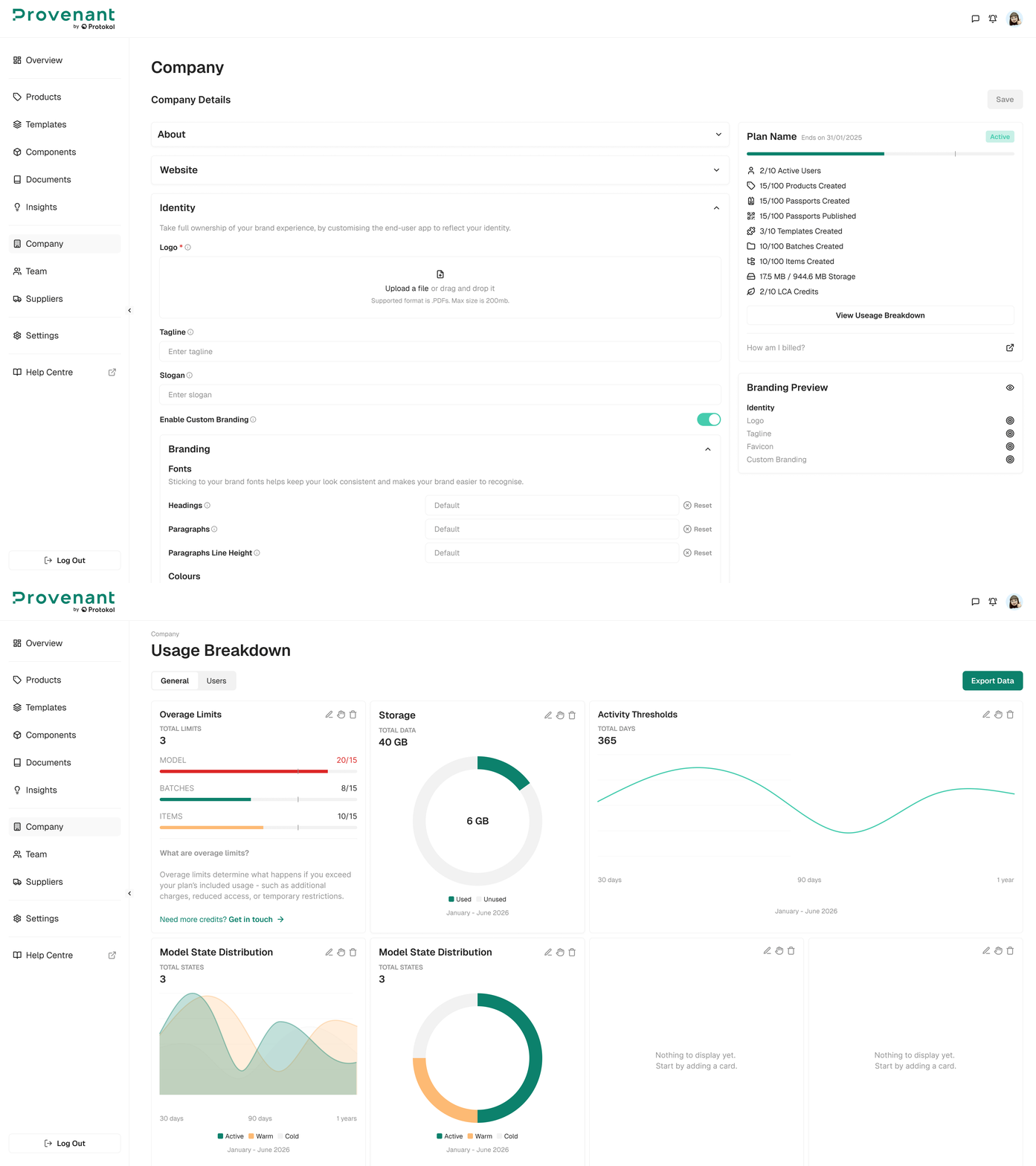
Note: Usage limits are set by your organisation's plan, and activity thresholds may be configured for your workspace. Contact your Provenant representative with any questions about your plan.